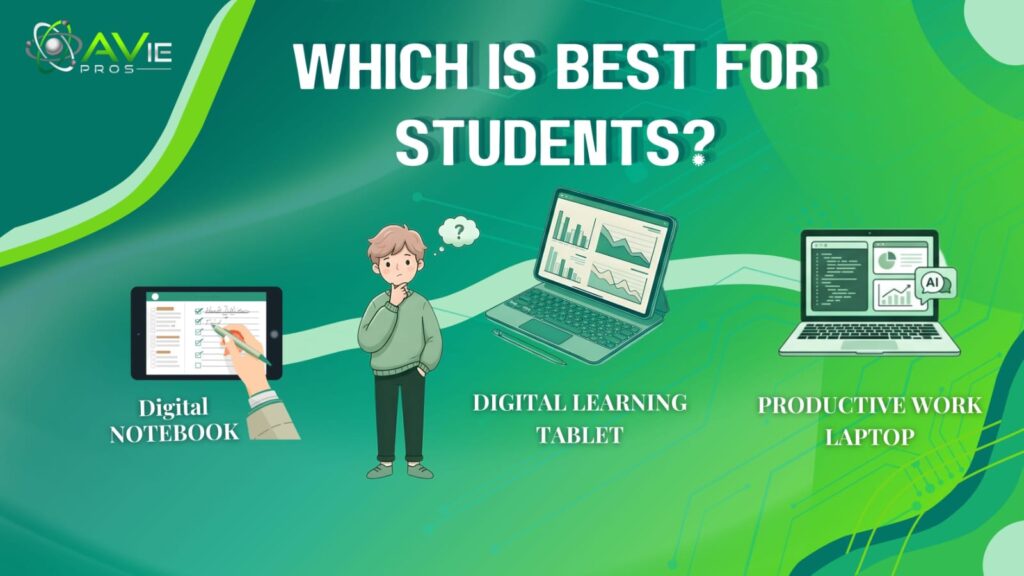
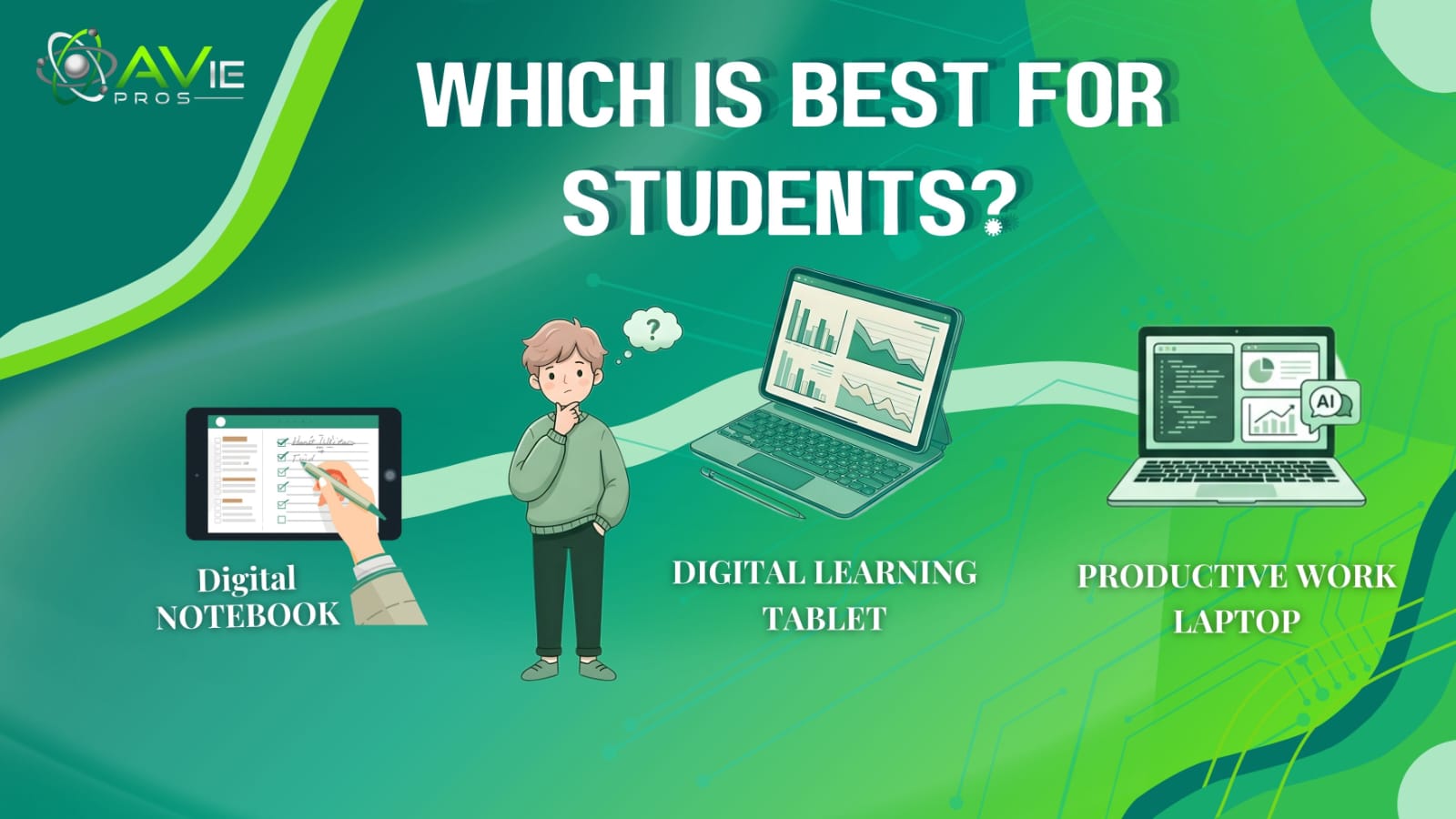
Today’s education has become modern over the years. Nowadays, studying is not complete without the use of digital devices. There are many options students use, but using tablets, notebooks, and laptops is common. has changed over the years. Choosing the right device can be confusing; this guide elaborates on which tool is more beneficial for your study type. Let’s explore it together:
Understanding the Three Study Tools for Students
Before we compare them, let us first understand what each tool is. Let’s have a look at further details:
Notebook: A digital notebook is a software tool or app that students use for writing and organizing their work. It works like a tablet and a laptop. It’s a traditional notebook but with useful features that make your studying journey easier.
Tablet: A tablet comes in various sizes and has a touchscreen. Students use their fingers to note, write, or draw on the screen. It works exactly like a digital notebook.
Laptop: It is a full computer with a screen and keyboard. You can perform many tasks such as typing, browsing the internet, running software, and creating projects.
All the tools work best and support learning. Moreover, these tools also have their own disadvantages. What is most effective for one student might not be effective for others.
Battle of Notebook Vs Tablet Vs Laptop for Students
Digital devices have benefits and drawbacks. Making the decision clear, like what is better for study, a laptop or a tablet, let’s find out by comparison:
1. Notebook
Digital Notebooks are an advanced technology that have extraordinary features. It can be connected with all devices like tablets, laptops, and smartphones. Many students prefer these notebooks over other devices. Users can make regular notes and files with it. It helps you to improve learning and studying skills. Let’s discuss advantages and disadvantages:

Advantages of Using a Notebook
The biggest advantage of using a notebook is its distraction-free experience. Students can spend hours studying without having unnecessary notifications. One more opportunity to use modern tools and features makes it an ideal choice.
Digital notebook offers a different way of studying where students can write, highlight, and organize with a stylus. When they write down complex topics with full attention and highlight important lines, their brains retain the information for a longer time.
Another advantage is that it is easy to use. The design and layout are simple, so even beginners can use it without asking anyone to guide them. There is no need for technical settings or software. Making sections, files, designs, notes, and geometry becomes effortless.
Students enjoy lectures and acknowledge topics not just with text but with other formats. You can add images, recordings, links, diagrams, or direct videos in notes to make it clear and organized. Visual representation helps in better understanding without taking more time.
Revision is important before exams. If your notes are not well-organized or structured, you waste time. That’s why notebooks allow you to create folders and sections. Saving files with a topic name saves a lot of effort and makes later revisions easier.
Written information on paper is difficult to manage; it can be easily lost, and pages may get torn. For study backup, notebooks offer syncing to the cloud. Everything related to studying, including important documents, can be restored with a backup.
Disadvantages of Using a Notebook
Using a notebook also has some limitations. If a person does not manage it properly, they may face distractions such as notifications or pop-ups.
Another problem is screen dependency. Spending long hours on a screen can cause eye strain. It can be frustrating and tiring to use it without taking a break.
Digital notebooks are dependent on devices. If your smartphone battery runs out, you can’t continue your learning until you charge it again. This can be inconvenient, especially when charging sockets are not available near you.
Students who are not familiar with basic technology may face difficulties when using it. They may take time to understand basic steps of using features, syncing data, or using a stylus effectively.
Initially, a digital notebook requires an investment in a smartphone or tablet. Purchasing a stylus or extra accessories can be expensive. Students with a limited budget can’t go beyond limitations.
2. Tablets
Tablets are becoming a common study tool among students because they bring the ease of handwriting and the advantage of digital technology. It acts as a bridge between traditional notebooks and modern devices. They allow students to study in a more organized and efficient way.
With the help of this one device, you can write notes, read books, attend classes, and even manage study materials without needing multiple tools. Many students compare laptops vs tablets for studying to decide between these options. Let’s acknowledge more:

Advantages of Using a Tablet
The biggest strength of a tablet is its portability. Its design is lightweight and compact, which makes it very easy to carry throughout the day. Whether you are going to school, college, a library, or travelling with a tablet in your bag, without adding extra burden. It’s a practical choice for the students who move between different places during the day.
Tablets make notes more advanced and flexible. Using a stylus, students can easily write similar to writing on paper. They also enjoy the benefit of a digital product. A tablet helps students to quickly erase mistakes, highlight important points, and rearrange content without writing everything. This saves time and keeps the notes neat and well-structured, especially when revising later.
Organization is another major advantage of the tablets. Instead of managing multiple notebooks, students can store all their notes in one place. You can create separate folders, name files, and keep everything sorted by topic or date. Additionally, the search feature adds more value to find specific words or topics within seconds. This feature is extremely helpful during exams or quick revisions.
They also provide an excellent reading experience. They can access eBooks, lecture slides, PDFs, and research materials. The display is well-designed to support long reading sessions with comfort and clear explanations. Its extra features, such as brightness control and night mode, help to reduce strain on the eyes, especially when studying at night.
Having access to educational apps and online resources is extremely helpful. Students can easily watch video lectures, join virtual classes, and solve practice questions by using interactive tools. This makes studying more engaging and helps in understanding difficult topics with visuals and detailed demonstrations.
Disadvantages of Using a Tablet
Tablets have certain limitations that are unnecessary to consider. One of the main concerns is performance. That is suitable for everyday study tasks, but for heavy software or advanced programs, they require higher processing power. This issue makes it less ideal for technical or professional work.
Typing on a tablet can also be frustrating and less efficient for long assessments. Without using a physical keyboard, typing essays or reports on a touchscreen feels slower and less comfortable. Although an external keyboard can solve this issue for us, they add extra cost. It also reduces the simplicity of your device.
Distractions are another challenge for tablet users. Since tablets support entertainment apps, social media, and games, it can be easy to lose focus during study time. If students don’t handle proper self-control or app management, they can spend more time on non-productive activities instead of studying.
Another drawback is the writing experience. The stylus pens just replicate the feeling of writing on paper, but the smooth glass surface feels different. Some students find it less natural and may take time to get comfortable with digital writing.
3. Laptop
Laptops are considered one of the most powerful and reliable tools for students because they can support almost every type of academic work. From basic note-taking to complex projects, a laptop provides everything in one device. Especially useful for those students who need to manage multiple tasks and have online access to resources.

It helps users to work with various types of files regularly. Many users also compare tablet vs laptop, which is better for students. Before making a decision, let’s get into some advantages and disadvantages:
Advantages of Using a Laptop
The biggest strength of a laptop is its versatility. It provides students with the opportunity to perform a wide range of tasks without needing additional devices. Whether they struggle with writing assignments, presentations, attend virtual classes, or do something else, this device is flexible. Its versatility makes it suitable for school, college, and even professional-level studies.
Laptops are highly efficient for typing. Its in-built keyboard is specially designed for speed and comfort. It helps students to complete their long writing tasks easily. Whether you are working on essays, reports, or research papers, typing on a laptop saves you time and even reduces your physical effort compared to touchscreen devices.
Another advantage is multitasking. A laptop allows running several applications at the same time without slowing down their work. For example, you can open a research article in one tab, write notes in a document, and attend an online lecture side by side. This improves productivity and helps the students manage their study time more efficiently.
Today’s laptops also support advanced and specialized software. Students in particular fields such as computer science, graphic design, and engineering need powerful programs to handle their work. Some programs can’t run on tablets. A laptop provides enough processing power to handle all demanding tasks smoothly.
Storage capacity is another key benefit for laptop users. Laptops allow you to store a large amount of data, including notes, videos, presentations, assignments, and project files. Students can also organize their files into folders for easy access. Moreover, options such as cloud storage and external drives help to keep important data secure and backed up.
Disadvantages of Using a Laptop
Despite advantages, laptops also have certain drawbacks. The most common issues are related to portability. If you compare tablets, laptops, or have your own, they take up more space in a bag. Carrying them daily, especially for long hours, can feel tiring for the students.
Battery life is another limitation for laptop users. Laptops consume more power due to their large screen and higher performance. As a result, students can’t use a laptop for the entire day. This can be inconvenient, especially in particular situations where power outlets are not available.
There is another control called distraction when using laptops. Since laptops provide full internet access, students can be distracted by social media. This behavior can reduce focus and affect study performance.
Last laptops feel complicated for beginners or young students. They require basic technical knowledge, such as managing files, handling system settings, or installing software. Those who want instant access to laptops can face difficulty handling these skills.
Features Guide About Tools
Now, let us compare these three tools based on important factors to understand which works better for you.
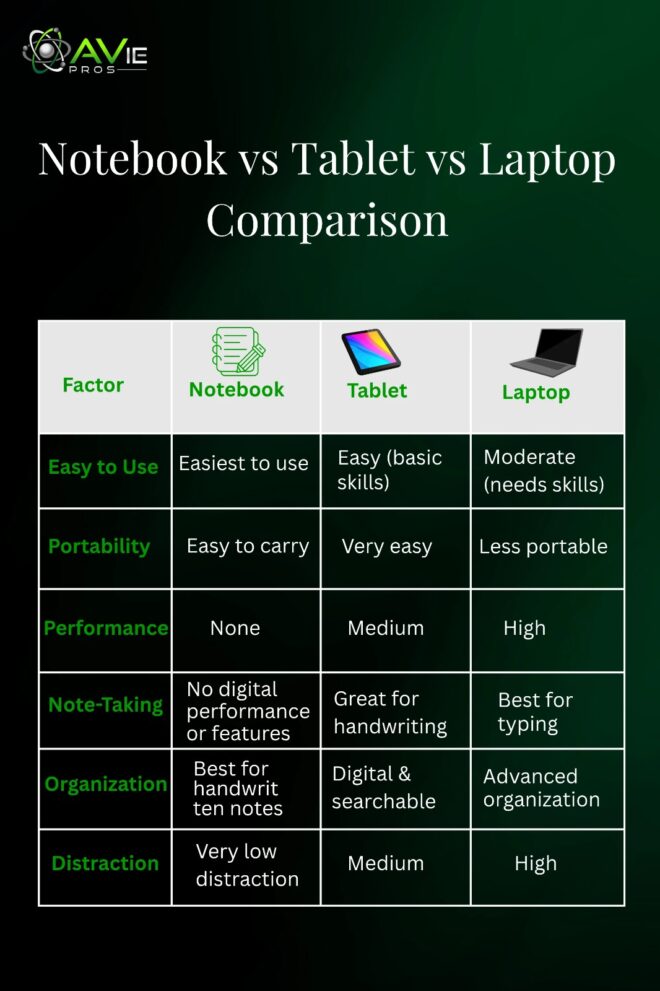
Easy to Use: Notebooks are the easiest to use because they don’t require software learning. On the other hand, tablets are also simple, but users need to have some basic understanding to use them. When it comes to laptops, they require more skills but offer advanced features that help.
Portability: Notebooks are easy to carry, and they can even be fit in pockets. Tablets are portable and lightweight, but laptops are heavier and less convenient.
Performance: Laptops are the winners when it comes to performance; they are the most powerful and can handle complex tasks easily. Tablets offer moderate performance; in some cases, users face slow speed and other issues. Notebooks do not provide extra digital features.
Note-Taking: Notebooks and tablets are best for handwritten notes. Laptops are better for typing and creating documents.
Organization: Notebooks required manual effort to stay organized. Tablets and laptops are excellent for organizing and searching notes online.
Distraction Level: Notebooks have less distraction, but tablets and laptops can be distracting if the student is not disciplined.
Best Choice for Different Students
In the guide below, we will break down which students are suitable to use a laptop, tablet, or notebook. Let’s have a look:
1. School Students
From my perspective, notebooks are ideal for younger students because they offer smart controls to free them from distractions. They can use a laptop to support reading and practical activities.
2. College Students
Laptops are the best option for college-going students because they can manage their assignments, presentations, and research work easily with them. Moreover, tablets can also be used as a secondary choice for reading or taking notes.
3. Creative Students
For students who love drawing, designing, or visual work, a tablet is a great choice. They can easily manage sketching and creative expression.
4. Technical Students
Students in specific fields like IT, computer science, or engineering should use laptops because they require software and tools.
Can You Use More Than One Tool?
Yes, many students use a combination of tools, and this can be very effective. Each tool serves a different purpose and support. For example, use a notebook for quick class notes, a tablet can help with reading and reviewing, and a laptop is best for assignments and projects. This combination definitely improves productivity and makes your studying convenient.
Tips for Better Study with Any Tool
- No matter which tool you choose, good study habits are very important.
- Keep your notes clean and organized. This habit will help you when you review them again for exams or tests.
- Always revise your notes regularly. It improves your memory and is helpful for your overall performance.
- When you revise topics from your notebook, plug your laptop into the charger socket, and it will save you time.
- Try to save your documents and PDF files to prevent losing them.
- Saving notes with a specific topic name can help you in searching.
Conclusion
From my perspective, there is no single answer to define which tool is best for studying. Each tool has its own strengths and uses. A notebook is a powerful tool that helps with focus and memory. A tablet is a modern and flexible tool that helps you to revise with comfort. It’s lightweight and doesn’t require technical skills. A laptop is a game-changer and is completely recommended for college and technical students.
Additionally, the best choice depends on your needs, goals, and study habits. Look at your daily routine and choose the tool that supports your needs. Finally, the tool itself does not guarantee success. Your effort, discipline, and dedication matter the most. The fact is that when you combine the right tools with the right mindset, you can definitely achieve excellent results.
FAQs
1. Which tool is best for younger students?
Notebooks are best for school-going students. Choose a notebook instead of a tablet or laptop.
2. Can students use tablets?
Yes, they can use tablets for drawing, sketching, and revising.
3. How to choose a tool for study purposes?
It totally depends on your study needs. For example, if you are in the tech field, choose a laptop.
4. Can I rely on notebooks only?
No, it’s not suitable for relying only on notebooks. Using digital tools can help you better understand.