The use of gaming mobile devices has become increasingly common in recent years. Many gamers are looking for a portable device with PC gaming capabilities. The ROG Ally from Asus and the Steam Deck from Valve are two recent devices that have attracted interest. High performance and the ability to play modern games while on the go are promised by both gadgets.
We will explore both devices in more detail in the following article. Design, performance, screen quality, battery life, software, and usability are just a few of the areas we will compare. In the end, you need to know which device would work best for you. Let’s explore it:
Steam Deck Vs ROG Ally Comparison
In the guide below, we are going to discuss the features and factors to understand the better handheld one by one:
Difference 01: Design and Build Quality of the Steam Deck
The unique shape of the Steam Deck makes it ideal for long hours of gaming. It feels powerful in the hand and has a chunky form. All of the buttons are easier to control when playing because they are positioned closer to the thumbsticks. The side grips are made to properly support the hands.
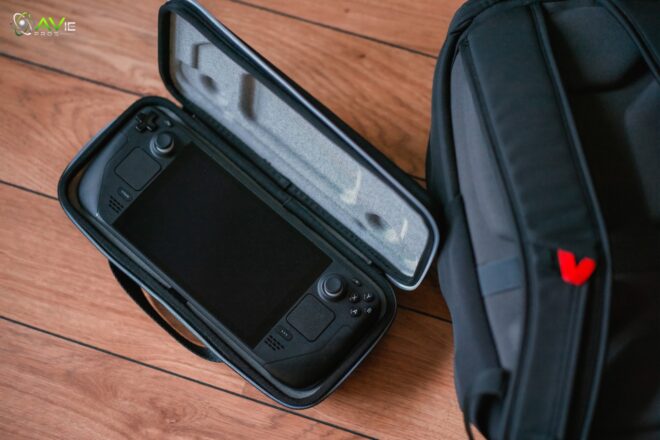
The device is a little heavy, but if you hold it for a long time, it balances beautifully. The device seems dependable because the buttons and thumbsticks click firmly and perfectly. The Steam Deck has a wonderful presence for gaming while on the go because it seems more like a portable PC than a simple console.
Design and Build Quality of the ROG Ally
Compared to the Steam Deck, the ROG Ally is more modern. Its design is similar to a small console controller housed inside a tablet. The grips are designed to securely handle the device while playing a game. Console players can easily adjust to the familiar button placements. The device felt much lighter and was portable for brief periods.
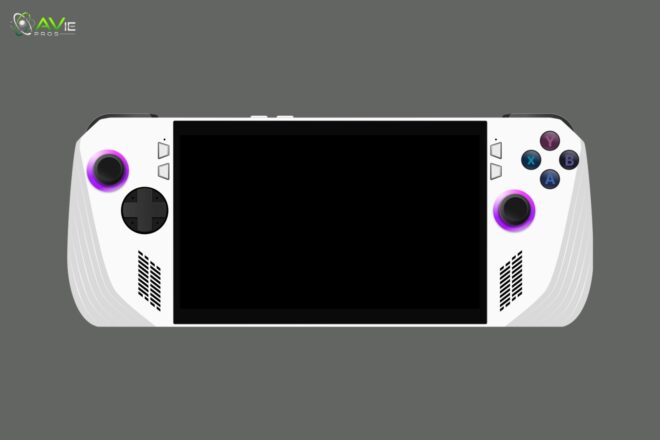
It is therefore designed to combine portability and performance. The ROG Ally is generally perceived as a high-performance device that is portable and not heavy. For a player who moves around a lot, this makes it enjoyable.
Difference 02: Screen and Display of the Steam Deck
A seven-inch OLED screen is a feature of the most recent Steam Deck model. Because it supports HDR, every detail can be seen in dark settings and bright colors. The resolution is set to find the perfect balance between text and game clarity. The majority of games should be able to be played with the screen’s refresh rate.
Many gamers find the screen to be quite immersive due to the contrast and color depth. Navigating menus and games is made simpler by the screen’s touch capabilities. All things considered, the Steam Deck’s display offers a clean, detailed image that lets users enjoy games without straining their eyes.
Screen and Display of the ROG Ally
The seven-inch Full HD display on the ROG Ally can handle high refresh rates to improve the smoothness of fast-paced gaming. Additionally, the screen supports Dolby Vision and adaptive refresh, which greatly improves the viewing of HDR content and modern games. Because of the great resolution, it is easy to see text and details in games.
The touch screen speeds up menu navigation. The ROG Ally’s display should appeal to gamers who need smooth animation in high-framerate games. All things considered, the screen appears bright and quick, making it appropriate for both enjoyable and competitive gaming.
Difference 03: Internal Hardware of the Steam Deck
The AMD APU used in the Steam Deck has a unique design that combines two RDNA GPU units and two Zen CPU cores. It has sixteen GB of RAM, which is an incredible amount for a console. It offers the right balance between battery life and performance. The company has optimized SteamOS so that games function perfectly on this set of specs.
The Steam Deck’s hardware is built to be dependable and powerful. Its main goal is to allow users to play for ever-longer periods of time without constantly charging. All in all, it provides you with a portable PC experience.
Internal Hardware of the ROG Ally
While the higher models have higher quality graphics and faster clock speeds, the ROG Ally is powered by Ryzen Z1 or Z1 Extreme processors with Zen four cores and RDNA three graphics. It has modern features and fast memory. Players can install games from many stores and launchers because it comes with Windows 11.
The hardware is optimized for powerful performance in demanding modern games. A lot of games can run smoothly at high frame rates. The ROG Ally leans slightly more toward raw power than previous handhelds. Those looking for desktop-level performance in the palm of their hands will find this to be attractive.
Difference 04: Performance in Real Games on the Steam Deck
Games function best on the Steam Deck when settings are adjusted. At medium settings, the majority of AAA games run smoothly. Older and independent games can operate at higher settings without any issues. AMD technology is used by the device to balance temperature and electricity. Because of the low energy consumption, users may play for extended periods of time.
To maintain smooth performance, some really demanding games may need to have their settings lowered. The Steam Deck was created from the bottom up to provide an excellent Steam library experience. This device performs well for gamers who mostly play Valve games or older PC games. For the majority of portable gaming requirements, it performs pretty well overall.
Performance in Real Games on the ROG Ally
Modern AAA games can be played on higher settings with the ROG Ally than with the Steam Deck. Frame rates are constantly smooth for competitive games and fast-paced titles. A player can add games from a variety of sources because it runs on Windows. With the improved hardware and faster memory, graphics-intensive games perform better and operate more smoothly.
During very long sessions, it may need more battery power. For players who want desktop quality in the palm of their hands, the ROG Ally is a good option. It offers an impressive balance between portability and performance. All things considered, it’s perfect for someone looking for a little more raw power in a small device.
Difference 05: Battery Life of the Steam Deck
The battery of the Steam Deck will last for several hours of playtime. On a single battery, lighter to medium-sized games can run for more than five hours. Playing demanding games will reduce that time to roughly three hours. In order to prevent the device from overheating, Valve has optimized the use of power.
USB Type-C is used for standard charging. It is portable and allows players to play without worrying about continuous charging. The Steam Deck is designed to provide players with a reasonably long battery life so they may continue to play while out and about. Overall, this portable finds a fantastic balance between endurance and performance.
Battery Life of the ROG Ally
Depending on what you’re playing and how, the ROG Ally’s battery life can last anywhere from two to five hours. While demanding games use batteries really quickly, easygoing games use relatively little power. Display durability is greatly affected by brighter displays and high refresh rates. At least it makes use of fast charging, so players can quickly get back into the thick of things.
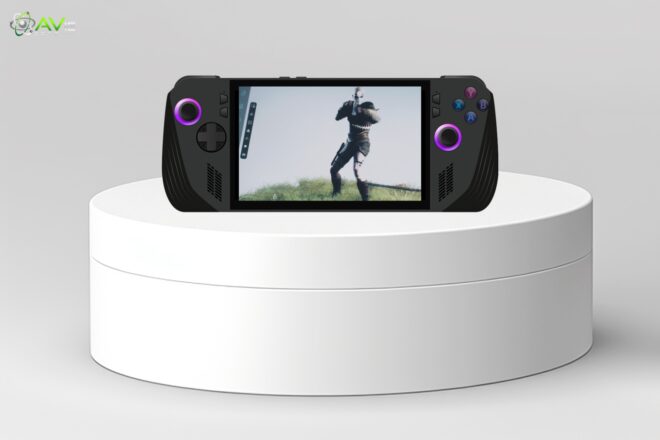
During the most severe use, it might not last as long as the Steam Deck, but it should provide you with enough energy for a few brief sessions. At least it’s still portable. Overall, players who prefer power over endurance should find the ROG Ally appealing since it strikes an ideal balance between strong performance and modest battery life.
Difference 06: Software and User Experience on the Steam Deck
SteamOS, a Linux-based operating system, powers the Steam Deck. This software is quite simple to use for beginners and was created to make Steam games run smoothly. It makes downloading games and exploring one’s collection quite simple. Additionally, Proton, a compatibility layer that enables the operation of many Windows games, is supported by Steam Deck.
Regular updates improve compatibility and performance. For gaming, the operating system’s foreground minimizes additional distractions. The user interface is generally easy to use and consistent. A beginner will be able to start playing without having to deal with complex setup settings. In order to adjust performance, advanced users can begin delving deeper into the capabilities at their fingertips.
Software and User Experience on the ROG Ally
Since the ROG Ally is running Windows 11, practically all PC games are accessible. Games from Steam, Epic, Origin, and other launchers are available for gamers to install. PC users have become familiar with that interface. It contains game management, the main menu, and adjustable settings. Because Windows supports multitasking, users can use other apps in addition to gaming.
Regular upgrades undoubtedly enhance system security and performance. It can feel more like a PC than a console to the user. It could take some time for beginners to adjust to the settings. The many possibilities for adjusting hardware and software settings will make experienced users extremely happy. In the end, it’s all about having power and freedom in your own wallet.
What are people looking for?
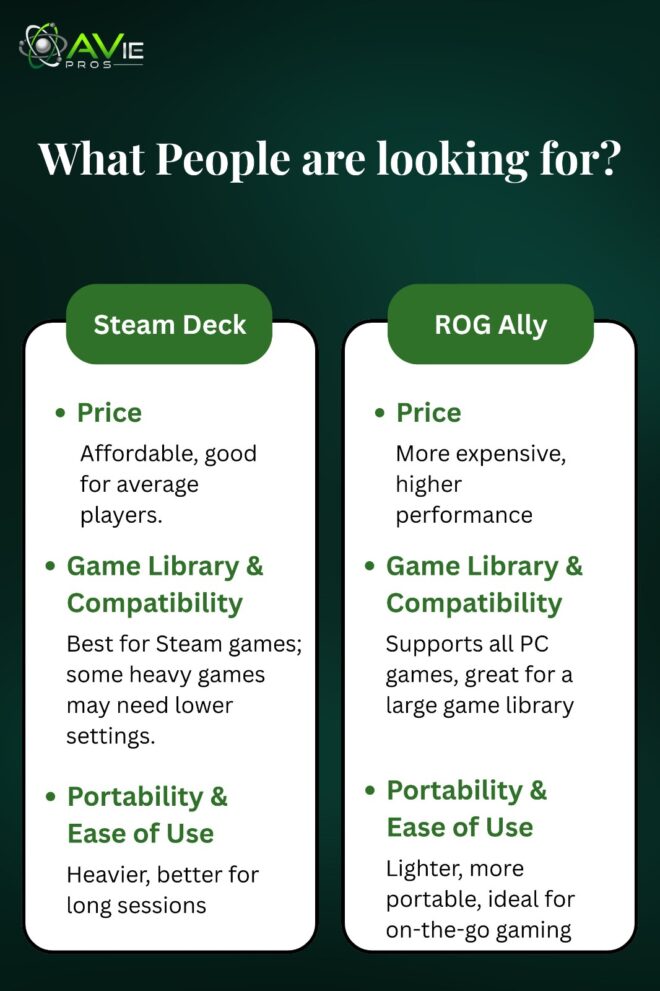
Here are some details that people want to know. Game lovers always want to have some basic knowledge to have a good understanding of what they need to choose. Let’s go through the main points to clarify the other side like a mirror:
1. Price Details
Depending on the storage options, the Steam Deck offers competitive prices. For an average player, its base model makes sense. Although they are more expensive, higher capacity models provide the advantage of quicker memory. Because of the updated technology and Windows licensing, the ROG Ally is greatly more costly. The cost of more expensive models can be far more expensive than that of the Steam Deck.
Value is based on the player’s desires. For those looking for a portable PC gaming experience without going over budget, the Steam Deck is perfect. For gamers who want the best performance and don’t mind paying for it, the ROG Ally is perfect. Of course, while deciding between the two devices, cost is an essential factor.
2. Game Library and Compatibility
The Steam library and the Steam Deck work incredibly well together. Proton adds several Windows games to the list of games that typically run smoothly. Independent games are quite successful. Lowering the settings may be necessary for some very new or heavy games. All Windows-based PC games are supported by ROG Ally.
It can run games from several launchers and sellers. There is a high level of compatibility. The ROG Ally will really shine for those who desire access to a wide variety of games. The Steam Deck has become easier to use for those who mostly have to do with Steam. The operating system and applications will decide on library access.
3. Portability and Ease of Use
Technically, the Steam Deck is better for extended play while sitting at home or on short journeys because it is heavier but more portable. The device feels comfortable in the hand and has easy-to-reach controls. The ROG Ally is easier to transport because it is sleeker and lighter. Console users are comfortable with controls.
Although the Steam Deck is probably a little more powerful and the ROG Ally is definitely more fashionable and smaller, both devices are quite easy to use. User-friendliness is mainly a matter of taste. Both have capabilities that allow users to play PC games while they’re on the go. Both devices provide excellent solutions in the areas of portability and comfort, both of which are important for portable gaming.
Which One Should You Buy
Really, it all depends on needs. For those looking for simple portable PC gaming, the Steam Deck is perfect. Additionally, it has a very long battery life, which allows it to run the majority of games without getting hot at all. On the other hand, ROG Ally will work well for people who genuinely desire powerful performance and Windows compatibility. At higher settings, it can run more demanding games.
One reason a customer would choose option A is price. The simpler Steam Deck may be more appealing to beginners. The ROG Ally’s flexibility may be more appealing to people who are already used to dealing with PC settings. While having very different benefits, both are powerful handhelds. Consider games, cost, and portability before making your choice.
Conclusion
Both the ROG Ally and the Steam Deck are excellent portable gaming devices. The Steam Deck’s dependability, extended battery life, and user-friendly interface are its main advantages. At much less than $600, it is far more reasonably priced and functions well with Steam games.
Performance, adaptability, and Windows compatibility are all provided by ROG Ally. It may have a lower battery life, but it is more costly and powerful. Both are portable and enable hands-on PC gaming. While ROG Ally is strong and adaptable, Steam Deck is easy to use and reliable. Both provide enjoyable gaming experiences.
FAQ
Which handheld is better for beginners?
The Steam Deck is easier for beginners because the interface is simple, and it runs most games out of the box.
Which handheld has better performance?
The ROG Ally has stronger hardware and can handle more demanding games at higher settings.
Which device lasts longer on a battery?
The Steam Deck lasts longer, especially during less demanding games.
Can I play Windows games on the Steam Deck?
Yes, most Windows games run with Proton, but not all are guaranteed.
Which device is more portable?
The ROG Ally is lighter and easier to carry, but the Steam Deck is comfortable for long sessions.
Is the Steam Deck cheaper than the ROG Ally?
Yes, the base Steam Deck model costs less while the ROG Ally is more expensive due to high-end hardware.