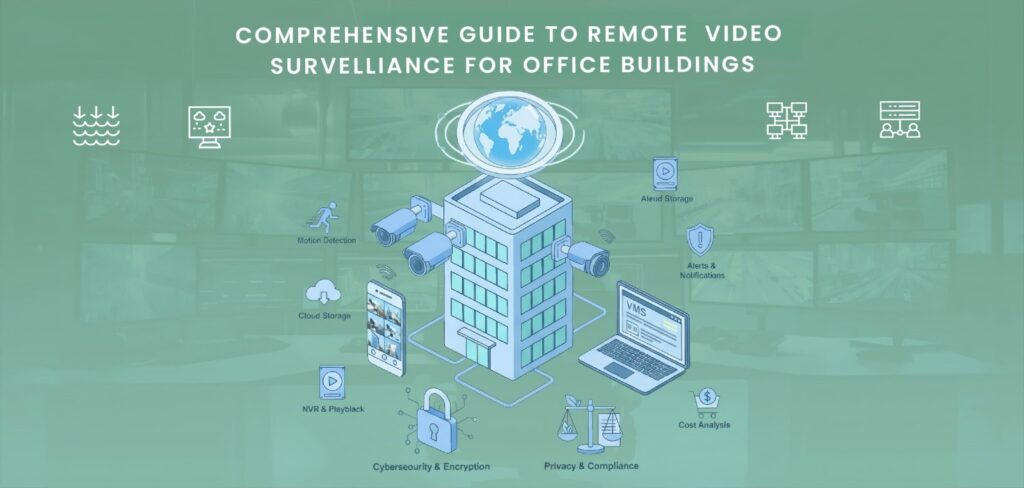

One of the biggest problems for modern office buildings is security. Keeping the property safe is important because it houses many employees, expensive items, and sensitive data. The most effective way to improve office security is through remote camera monitoring. Through PCs, tablets, or cellphones, it allows managers and owners of businesses to view their properties in real time from any location.
In addition to preventing theft and vandalism, this technology makes the workspace safer and easier to maintain. A safety precaution called remote video surveillance for office buildings uses cameras connected to the internet to monitor and record activity in and around corporate buildings. Remote surveillance systems upload and store data in the cloud, as opposed to traditional CCTV systems that store records on local recorders.
This makes it possible for authorized users to watch recorded or live video from anywhere at any time. Additionally, it immediately notifies users when suspicious activity is detected, enabling a speedier reaction to security breaches. Let’s explore Remote Video Surveillance for Office Buildings:
How Remote Surveillance Works
A video management system, security cameras, and a secure internet connection are the main parts of the system. In important areas, including parking lots, server rooms, hallways, and entrances, cameras are installed. The recorded video is sent over the network to a remote monitoring location or cloud storage.
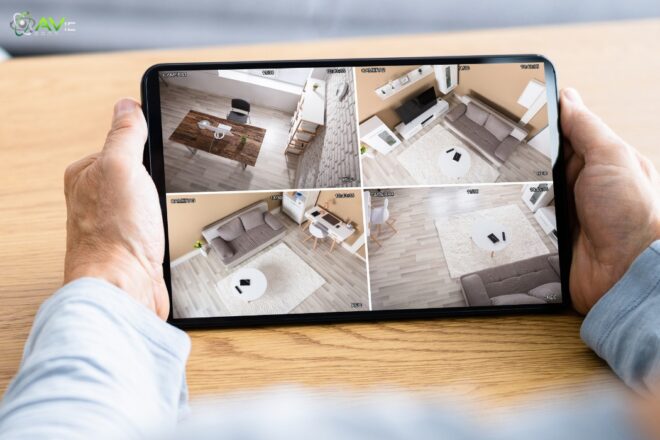
The designated user can watch real-time photographs, zoom in on specifics, and replay situations. Even remotely manage camera views via a mobile app or website. Certain systems use artificial intelligence and motion detection to spot questionable activity and automatically send alerts to your email or phone. This helps identify dangers before they become serious problems.
Benefits of Remote Video Surveillance for Office Buildings
Installing a remote video surveillance system in an office building has several benefits for management and safety. The main advantages listed below show why this technology is so important for modern office security:
1. Continuous Monitoring
The fact that remote surveillance is available 24/7 is among its best features. You don’t have to think about what will happen after the workplace closes. The cameras simply keep watching, recording every sound and movement.
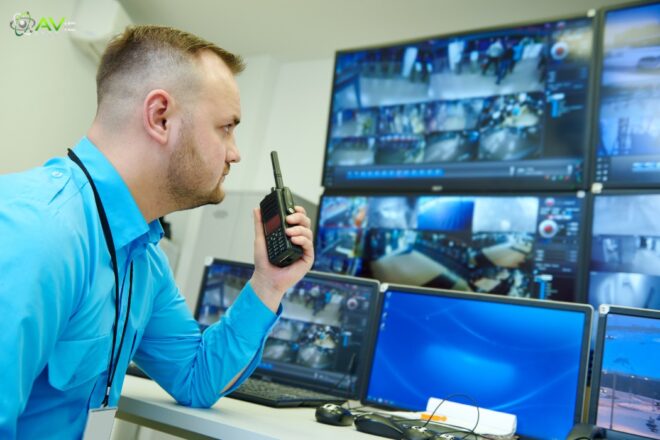
For buildings that are empty on the weekends or at night, this is really helpful. Continuous monitoring stops criminals and identifies questionable activities early. You will already have a video to view and give to the police or security guards in the event of an incident.
2. Real-Time Access from Anywhere
You can keep an eye on what’s happening in your office without personally being there, thanks to remote monitoring. All you have to do is open an app or website on your tablet, laptop, or phone to view real-time video.
This is useful for managers or owners of businesses that have several sites or travel frequently. You may access your office security at any time, even if you’re overseas. In the event of an emergency, having such real-time access allows for quicker responses and provides comfort.
3. Prevents Theft and Misconduct
People are scared of committing crimes when they see cameras. Employees and visitors do not steal or damage property when they are aware that cameras are watching. This method helps to track employee actions in addition to preventing theft.
For example, you can listen to the recording and figure out exactly what happened if something is lost. Everyone knows that their actions are being watched, which also helps to improve discipline and behavior at work.
4. Cloud Storage and Easy Retrieval
To ensure you don’t lose any data or run out of storage, remote camera systems store the footage in the cloud. Even if your local recorder is damaged or stolen, the cloud storage is secure. You can easily search for videos from a specific date and time.
Let’s say something happened last week. The video can be recovered in a matter of seconds and downloaded for review. Compared to previous systems that required difficult searching through records, it is far simpler.
5. Cost-Effective Security
Long-term cost savings are possible with a remote video system. One person can watch many cameras from a control room or even from home, saving money by removing the need to hire multiple security guards to keep an eye on every location.
This lowers labor expenses and improves the effectiveness of monitoring. Additionally, modern CCTV cameras need almost no maintenance. They are a wise financial investment for companies since, once installed, they can function for years without experiencing major issues.
6. Integration with Other Security Systems
Modern CCTV technology makes it simple to combine with other systems, including access control, motion detectors, and alarms. This provides an entire security system that interacts together to secure the building. For example, the system will instantly text you.
Sound an alarm if it detects someone opening a restricted door. The cameras will record everything that happens when they zoom in on that location. This level of automation increases security’s speed, intelligence, and reliability.
Key Features of a Good Remote Video Surveillance System
Make sure the remote video surveillance system you choose for your office complex has the features necessary to provide complete security, easy access, and long-term dependability. The most important features that are beneficial to a system’s effectiveness and security are as follows:
1. High-Definition Video Quality
Images from high-definition cameras are clear and detailed, allowing you to recognize faces, objects, and motions easily. When it comes to identifying criminals, suspicious activity, or even the smallest details of an incident, this kind of functionality is quite beneficial. If something happens in your office, clear video quality also guarantees that the recording is reliable as proof.
2. Motion Detection Alerts
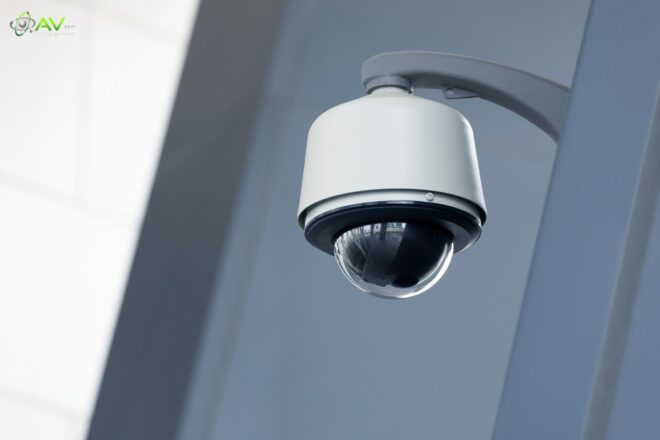
When there shouldn’t be any movement, the system can identify it with the use of motion detection technologies. Your PC or phone will automatically receive an alert or message to let you know. You may immediately inspect the live feed and react if there is any unusual or suspicious activity in the zone, thanks to that quick notification.
3. Cloud or Hybrid Storage
Instead of storing all of your saved videos on a physical device, cloud or hybrid storage safely stores them online. This ensures that your data is secure even if your system is broken or stolen. You don’t have to worry about losing precious records because you can download and watch videos whenever and wherever you choose.
4. Remote Access Control
No matter where you are, you can watch your cameras via remote access on your laptop, tablet, or phone. It offers total control over both recorded and live video without sacrificing security. Sensitive footage is always private and safe since only those with the right credentials can access it.
5. Night Vision Cameras
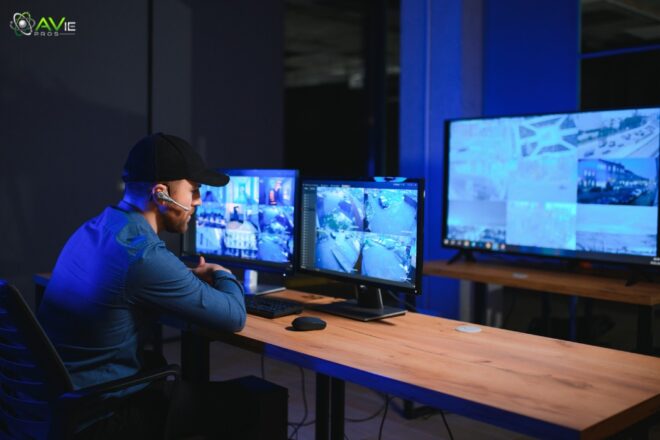
The capacity to see at night is essential for 24-hour security. Even in areas that are dark or lighting is poor, these cameras can produce clear video. They ensure that your building is safe at all times, even when the lights are off, by keeping entrances, parking garages, and hallways visible at night.
6. Scalability
If your office expands or new areas need to be secured, you can add more cameras with a removable security system. The complete system won’t need to be replaced. You can easily expand your coverage and keep your building continuously monitored with scalability without having to invest more funds or effort in new installations.
7. Strong Data Encryption
One of the most important safety components of a modern monitoring system is data encryption. It protects your stored video and video feeds from hackers and other online dangers. Only those with approval may view the recordings thanks to encrypted technologies.
This ensures that the sensitive data of your business is always secure and private. Together, these elements form a strong, dependable, and intelligent surveillance system that ensures the daytime and nighttime security of your business building.
Installation Tips for Office Buildings
For your office building’s remote video surveillance system to work as best it can, proper installation is important. Take the necessary actions listed below to guarantee full security coverage:
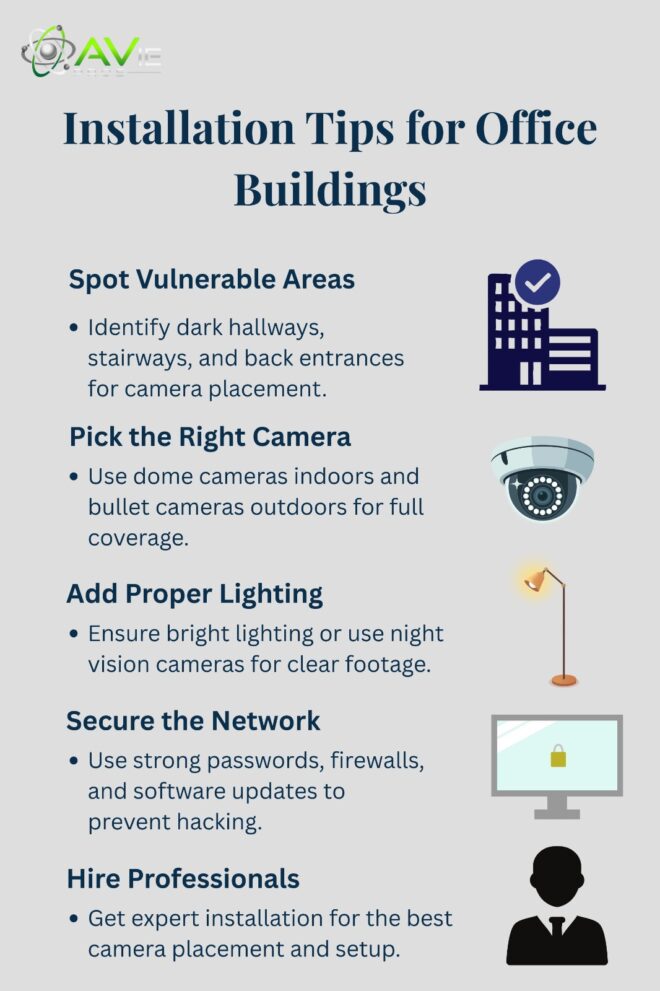
1. Identify Vulnerable Areas
Check your building carefully and note any areas of risk before adding cameras. These could be dark hallways, store rooms, stairs, or back entrances. Burglars and criminals frequently enter through these points. By placing cameras in these locations, risk is reduced and security is improved.
2. Choose the Right Camera Type
Different cameras are needed for different locations. Dome cameras are great for use inside since they can carefully and quietly cover big areas without creating any noise. Because bullet cameras are durable, weatherproof, and have a longer range, they perform well outside. With the right camera, you can fully monitor your property and get high-quality footage.
3. Ensure Proper Lighting
Cameras work best in lighted environments. Faces or events may be difficult to see in dimly lit areas. Add glowing lights to outside areas, hallways, and doorways. If it isn’t possible, switch out cameras for ones that can record clearly at night using infrared or night vision.
4. Secure the Network
Cybersecurity is important because these cameras are connected to the internet. Use secure passwords at all times, turn on firewalls, and upgrade your operating system frequently. By doing this, hackers are unable to access your cameras or recorded videos. Your office is protected both digitally and physically when it has a secure network.
5. Work with Professionals
For large business buildings, professional installation is always preferable, even though there are cameras that you can install yourself. Professionals are aware of the best locations for cameras, how to neatly hide cables, and how to set up cloud storage. In order to guarantee that your system functions well from day one, they also do all of the testing.
Remote Monitoring and Smart Alerts
These days, monitoring systems are far more intelligent. The majority of them use artificial intelligence to look for strange sounds, faces they don’t recognize, or suspicious movement. The technology instantly notifies your phone or email if it detects something odd, such as someone entering after work hours.
You can use the app, view the current situation in real time, and, if needed, contact the police or security officers. This quick reaction keeps crimes from becoming more serious. It’s one of the main reasons why offices nowadays need remote monitoring.
Data Privacy and Compliance
No one’s privacy should ever be violated by security cameras. The presence of security cameras should be communicated to both staff and visitors. Make sure that every recorded file is safe and secure.
Following local privacy laws also keeps legal problems at bay. Since data protection laws are becoming stronger in countries, following moral and legal principles will keep your company looking respectable and professional.
Common Challenges and How to Overcome Them
Blind spots, storage limitations, and bad internet are just a few of the issues that any remote video monitoring system may encounter. To effectively prevent them, use the easy actions listed below:
1. Poor Internet Connectivity
Cameras that have a slow internet connection may freeze or stop recording. Use a connected Ethernet network or a reliable broadband connection to handle this. Make backup internet plans as well to guarantee that cameras keep working even in the event of a power loss.
2. Limited Storage Space
Your storage may quickly run out if your cameras are constantly taking pictures. Usually, cloud systems solve this problem by storing videos on the internet. To keep storage neat and clear of trash, you may also set up automatic deletion policies. For example, you can wipe out old clips after 30 days.
3. Camera Blind Spots
Cameras are unable to capture everything. To identify and remove blind spots, walk around your office and check camera views on a regular basis. Complete protection can be achieved by adding a few additional cameras to cover the remaining space.
Future of Office Security with Remote Surveillance
With every year that goes by, the future of office security becomes more intelligent. AI systems will soon be able to detect suspicious activity before it occurs. For example, the technology will alert security staff right away if someone stays near a prohibited location for a long time. With continued advancements, surveillance will improve worker efficiency and safety in addition to securing offices.
Conclusion
Any office building should invest in remote security cameras. They protect the workplace, prevent theft, and provide owners with total control over security. The solution ensures that the office is secure even when no one is present.
Unusual activity can be quickly identified with real-time monitoring and instant alerts. Modern technology and user-friendly management tools make it possible to keep an office setup that is safe, effective, and ready for the future.
FAQs
1. What is the main purpose of remote video surveillance?
The main goal is to help business owners watch their office from anywhere in real time. It protects the building from theft, fire, or other risks and ensures a safer workplace.
2. Can I watch my office cameras from my phone?
Yes, you can. Most remote surveillance systems have apps that allow live streaming, camera control, and instant notifications directly on your phone.
3. Is remote video surveillance expensive?
No, it doesn’t have to be. Many affordable options are available today. You can start with a few cameras and upgrade later as your needs grow.
4. How safe is the data from remote cameras?
Data is very safe if you use encrypted cloud storage and set strong passwords. Make sure only trusted people have access to the recordings.
5. Do I still need security guards if I have remote surveillance?
Having a few security guards is still useful for quick response. Cameras can record and alert, but human presence adds an extra layer of safety. Combining both is the best approach.