Everyone is interested when Apple announces a new MacBook. They want to know if the older model meets their needs or if the new one is really better. Probably one of the most well-liked laptops in the world is the MacBook Air. It is powerful, slim, and light. Many people use it for office work, travel, school, and even light editing. When Apple released the MacBook Air with the M2 chip, it became incredibly popular. Later, Apple released the MacBook Air with the M3 chip.
People seeking for, which MacBook suits their professions? The difference between M2 and M3 MacBook Air is explained in detail in this article. We will carefully look at battery life, performance, design, display, price, and daily usage experience. By the end, you will clearly understand which MacBook works best for your needs and budget. Let’s get into:
Battle of MacBook Air M2 vs M3
In this battle, we’ll compare both MacBooks and see which one works better. When it comes to features and customizations, what are the benefits we get from both? Let’s differentiate between M2 vs M3 and also explore the MacBook Air M2 vs M3 specs clearly:
1. Design and Build
The MacBook Air M2 and M3 have almost the same design when we first compare them. Both are extremely thin and light. The Air series is always made as thin as possible by Apple. The M2 and M3 air have the same approximate thickness of 0.44 inches. The weight of the 13-inch one is about 2.7 pounds. The 15-inch one weighs over 3.3 pounds, which is a little heavier. The M2 and M3 versions come in these two sizes. Even the colors are similar. Silver, Space Gray, Starlight, and Midnight are available from Apple.

Although the Midnight color is unique, it is less resistant to fingerprints than the others. The aluminum body of the M2 and M3 Air versions is identical. It is slim, powerful, and high-end. Unlike the old wedge shape that Apple used many years ago, this one is sleek and flat. Therefore, they are essentially the same if appearance is your primary concern. Neither their appearance nor even their weight in your hands will change significantly. The machine’s internal components make the difference.
2. Display Quality
The screen of the MacBook Air M2 and M3 is Liquid Retina. The 13-inch model has a 13.6-inch screen, while the larger variant has a 15.3-inch screen. Because of the high resolution, words and images seem sharp and clear. Up to 500 nits of brightness is suitable for both indoor and outdoor applications. True Tone technology and P3 broad color make the colors true and rich.
Both versions have a smooth experience when watching movies or editing photos. On Air versions, the screen refresh rate is 60 Hz. Air lacks the 120Hz ProMotion found in Pro versions. That suggests that animations aren’t nearly as fast as Pro models, but in daily use, you won’t notice a big difference. The display quality of the M2 and M3 Air is more comparable. Here, Apple hasn’t made any notable advancements. Both are superb, clear, and bright.
3. Performance
The real difference begins at this point. The previous M1 chip was already slower than the M2 processor. It had an 8-core CPU and a GPU with up to 10 cores. Office tasks, browsing, streaming, and even video editing may all be handled by it. The next-generation chip, the M3, was created with 3-nanometer technology. In other words, it is both faster and more power-efficient.
Additionally, the M3 contains an 8-core CPU. However, the GPU has been updated with increased performance and efficiency. According to Apple, the M3’s CPU performance is almost 20% quicker than the M2’s. The boost is significantly greater for the GPU. Additionally, the M3 features hardware-accelerated ray tracing, which enhances graphics in design software and video games.
This would result in the M3 opening apps quickly, exporting files, and handling multitasking more smoothly in daily use. For example, if you were editing a 4K movie, the M3 would render it faster than the M2. When playing games like Resident Evil Village, the M3 would produce smoother frame rates and better graphics.
The M2 isn’t slow, though. The M2 is suitable for the majority of office workers, light users, and students. Just browsing, watching movies, or writing documents will not really make a difference. In intensive tasks like coding, 3D modeling, or gaming, the M3’s capabilities are more noticeable. The Apple M2 vs M3 performance discussion becomes clear here because the M3 has advantages in speed and graphics.
4. Battery Life
Apple is well known for its long-lasting batteries. The M2 Air’s timing was already excellent, and it could play videos for up to 18 hours. Similar but marginally more efficient is the M3 Air. In actual use, the M3 Air occasionally performs a bit better than Apple’s claimed 18-hour battery life. The new 3-nanometer chip design, which consumes less power for the same task, is the reason for this.
For example, you can go through the majority of the day by using apps, browsing, and watching movies on the internet. The M3’s battery life is slightly longer than the M2’s when you’re editing or gaming. Not by much, though. Both are excellent choices for anyone operating outside of power sources, including students and travelers. This is where we can closely analyze MacBook Air M2 vs M3 battery life because both provide strong all-day performance.
5. Storage and Memory
The standard MacBook Air M2 has 256GB of storage and 8GB of RAM. The same is true with the M3 Air. However, Apple improved the SSD’s speed in the M3 base model. Compared to larger storage options, the base M2 256GB has poorer read and write performance. This issue has been fixed with the M3, making even the base model faster.
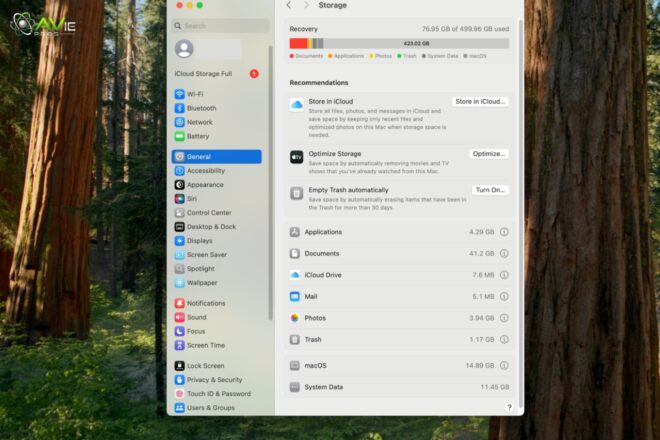
It is possible to update the M2 and M3 Air to 16GB or 24GB of RAM. Additionally, storage capacity reaches 2TB. 8GB of RAM is enough for daily use for everyone else. 16GB is better, though, if you are editing videos or using many programs. Thus, the M3 has an advantage if storage speed is important.
6. Price Difference
Price is always important. The base 13-inch model of the MacBook Air M2 was first sold for $1,199. When M3 came out, Apple lowered it to $999. The estimated price of the 15-inch M2 is $1,199. The 13-inch and 15-inch models of the M3 Air start at $1,099 and $1,299, respectively.
As a result, the M3 costs a little more. The M2 is still a very good option if money is tight. The M3 is a better value if you want the newest chip and stronger long-term support. The MacBook Air M2 vs M3 price comparison clearly shows M2 is more affordable, but M3 brings future-proof value.
7. Ports and Connectivity
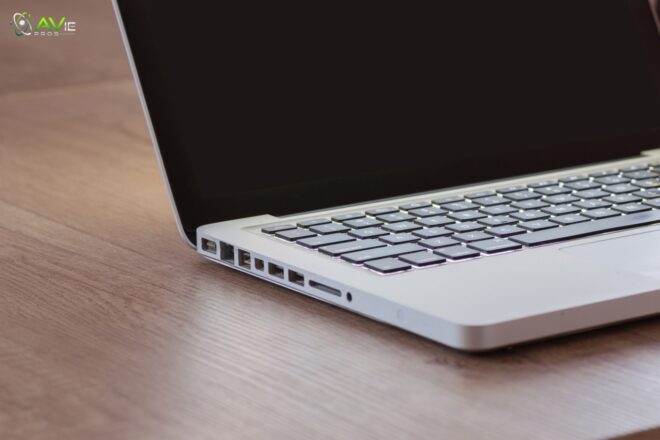
The ports are shared by M2 and M3 Air. They have a headphone jack, one MagSafe charging port, and two Thunderbolt 4 ports. Because it is magnetic, the MagSafe charger holds firmly and is safe to pull by accident. If you want, you can also charge via Thunderbolt.
Both make use of Bluetooth 5.3 and Wi-Fi 6. Wi-Fi 6E, which is present in some Pro models, is absent from the M3. However, for the majority of networks, Wi-Fi 6 is incredibly fast. Therefore, nothing major has changed. Both are simple, but they accomplish most of their goals.
8. Camera and Speakers
A 1080p FaceTime HD camera is a feature of the MacBook Air M2 and M3. It is ideal for meetings and video conferences. With 720p cameras, Apple improved the quality of earlier MacBooks. Better picture processing, thanks to the upgraded processor, helps the M3 version a little. However, the change is minor.
The speakers are powerful as well. There are four speakers on the 13-inch Air. A six-speaker system with force-cancelling woofers is included with the 15-inch Air. The audio is clear, well-balanced, and suitable for both movies and music. So again, this performance is pretty much the same.
9. Keyboard and Trackpad Experience
Typing is used daily. The Magic Keyboard is the same for the M2 and M3 Air. Typing on the keyboard is accurate, responsive, and soft. The space between the keys is pleasant, and they are not overly small. Except for lengthy typing sessions, everything runs smoothly. In dim light, backlit keys are very helpful.

The trackpad is large and quite precise. All macOS movements, including pinch, swipe, and zoom, will be recognized by it. In this regard, the two laptops offer the same experience. No significant changes were necessary because Apple has refined the design of the keyboard and trackpad over the years.
10. Heat and Fan System
The MacBook Air versions don’t have fans. In both M2 and M3, it is the same. It means they remain silent at all times. Since there isn’t a fan inside, there won’t be any fan noise. The metal casing and chip efficiency provide cooling.
The M3 chip will handle heat a little better because it uses less energy. The M2 might become slightly hotter than the M3 when used extensively. Both, however, stay cold for everyday use, like browsing or watching. The M3 will be better able to deal with heat if you’re editing videos for a number of hours.
11. Software and Updates
The operating system for the M2 and M3 Air is macOS. First released on macOS Ventura, the M2 later got Sonoma. macOS Sonoma is pre-installed on the M3. Updates for MacBooks are usually supported by Apple for a very long time.
Both will therefore be updated for a very long period. However, compared to the M2, the M3 will likely receive an extra year or two of improvements because it is a newer model. If you plan to keep your MacBook for 6 to 8 years, this is important.
12. User Experience
The MacBook Air and the MacBook M2 are nearly identical when held in the same hand. They are stylish, light, and thin. The lid opens smoothly, and typing on the soft, comfortable keyboard is a pleasure. The trackpad is large and quite precise. You will benefit greatly from both computers if you are a student. You have no trouble taking notes, watching lectures, or conducting research.
Both are quite quick for emails, presentations, and video chats if you work in an office. Both are portable and long-lasting for travelers. The M3 will save you more time if you work in design, coding, or video editing. Heavy tasks are completed more smoothly by it. Additionally, it is a better choice if you plan to keep your MacBook for a long time.
Who Should Buy the MacBook Air M2
Students who require a portable laptop for school should choose the M2. It is also very good for teachers, writers, and office users in general. The M2 is more than enough if browsing, emails, movies, and documents are your main uses.
For those who want a MacBook experience without breaking the bank, it’s also a good option. It is currently the least expensive way to purchase an updated MacBook due to its price decrease.
Who Should Buy the MacBook Air M3
The M3 was created for people who hope to gain greater authority in the future. The M3 is a better choice if you use heavy apps, edit videos, or create graphics. The extra GPU features will also be appreciated by gamers who want to explore Apple’s growing collection of games.
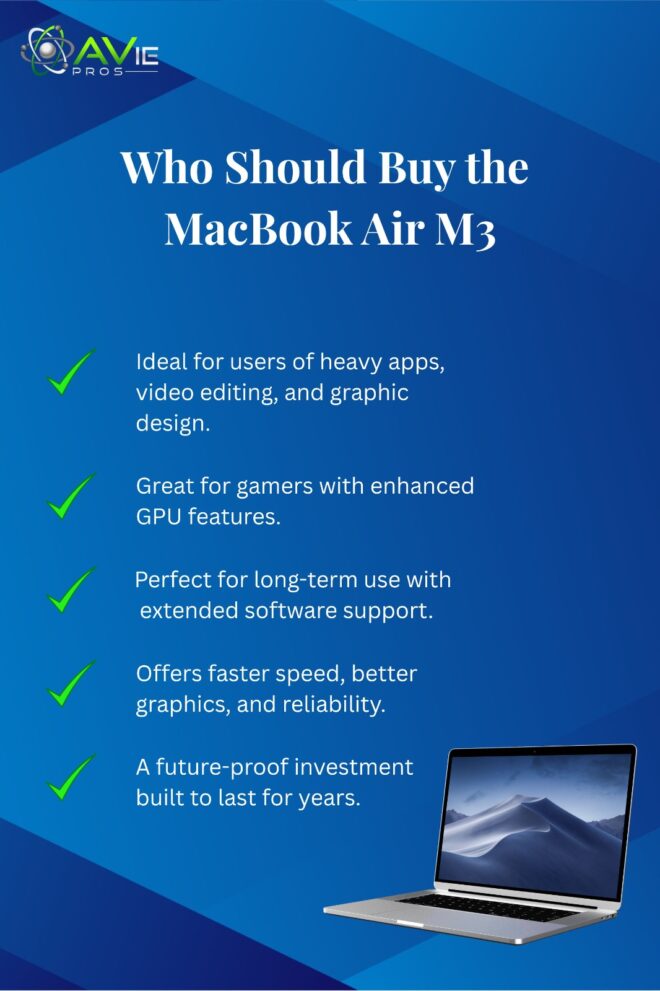
This is also a better choice if you want to use your MacBook for decades. It offers faster speed, better graphics, and longer software support, making it a safer long-term investment. For many years of use, the MacBook Air M3 is designed to be strong, reliable, and future-proof.
Final Verdict
We can conclude that MacBook Air M2 vs M3, the MacBook Air M2 remains a top-notch notebook after examining all the details. It is more affordable, lighter, and powerful enough for most people. The newer, faster MacBook Air M3 boasts better graphics and faster storage.
The M3 Air is well worth the cost if you want your laptop to last a long time and need the greatest performance. However, the M2 Air is a smart option if you have simple tasks and want to save money. You won’t regret purchasing either of these fantastic computers. The decision is based on your job effort and budget.
FAQs
Is MacBook Air M3 much faster than M2?
Yes, but only in some tasks. For normal use, the speed feels similar. For heavy apps, the M3 is faster.
Which one has better battery life?
Both last around 18 hours. The M3 is a little more efficient, but not a big change.
Is it worth buying M2 in 2025?
Yes, the M2 is still excellent, especially after the price drop.
Which size should I buy, 13-inch or 15-inch?
If you want something light and portable, get a 13-inch. If you like bigger screens for work or movies, get a 15-inch.
Does the M3 Air support gaming?
Yes, better than M2 because of hardware ray tracing. But it is still not a gaming laptop.