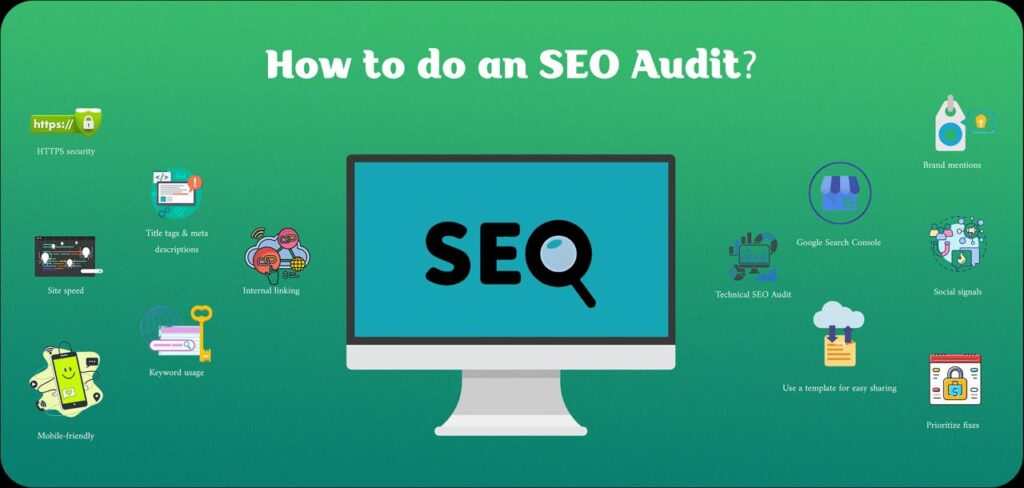
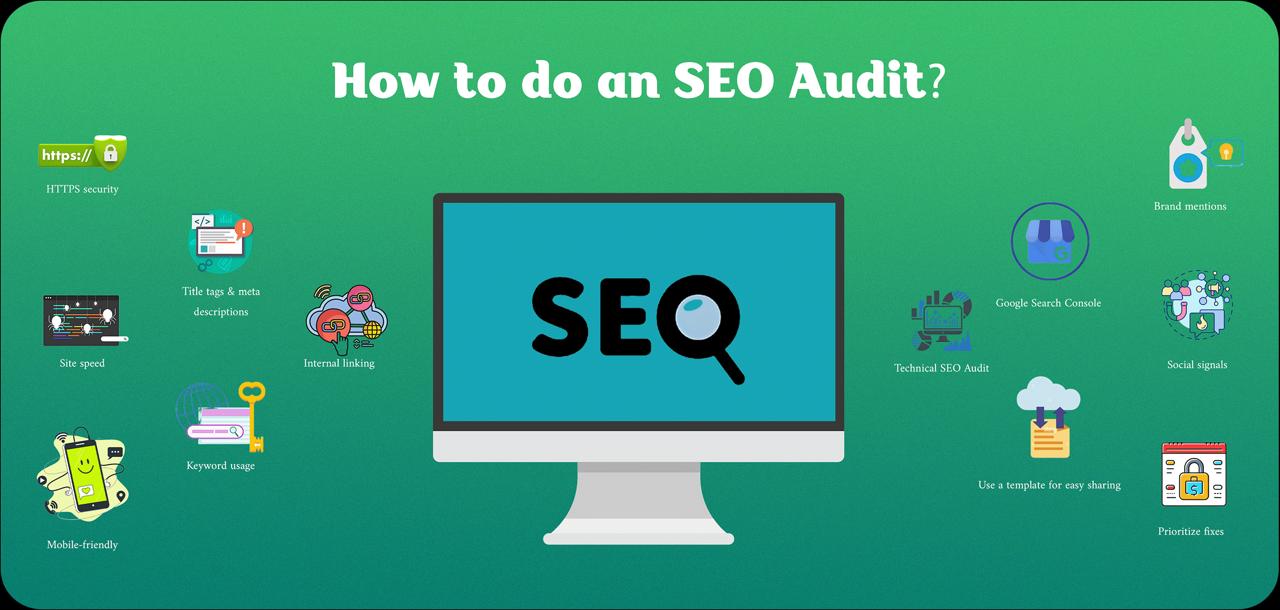
Struggling and unsure why your website isn’t getting noticed on Google? Remember, you’re not alone. Many website rankings get affected when people miss those hidden issues. The good news? With a simple SEO audit, you can fix them and boost your traffic.
Regular audits are like a check-up to make your site strong and find it online easily. You’ll learn how to do an SEO audit in this step-by-step guide. Let’s make your website visible by working smarter, not harder.
What Is an SEO Audit and Why Is It Important?
An SEO audit is important if you want your website to grow. From a medical point of view, it’s like a doctor who regularly checks your website health.

In simple words, to know how well your site is performing in different search engines, particularly Google, an SEO audit is done. From your content to your code, you get to look at all the parts that hurt your website’s visibility. Spotting these issues early and fixing them quickly will help make your site error-free and show up regularly in search results.
Why Does an SEO Audit Matter?
Ranking a website having lots of problems is quite difficult, even if it has great quality content. Google doesn’t prefer to show such kind of sites in its search results to the users.
To make your site favorable in the eyes of Google, it’s important to do regular monitoring. Finding issues like slow-loading pages, broken links, missing titles, or weak keywords becomes super easy when you do a complete audit. Your traffic, speed, and trust with search engines all get boosted once you remove those errors.
Types of SEO Audits
With three main types of SEO audits available, each one focuses on a different part of your website:
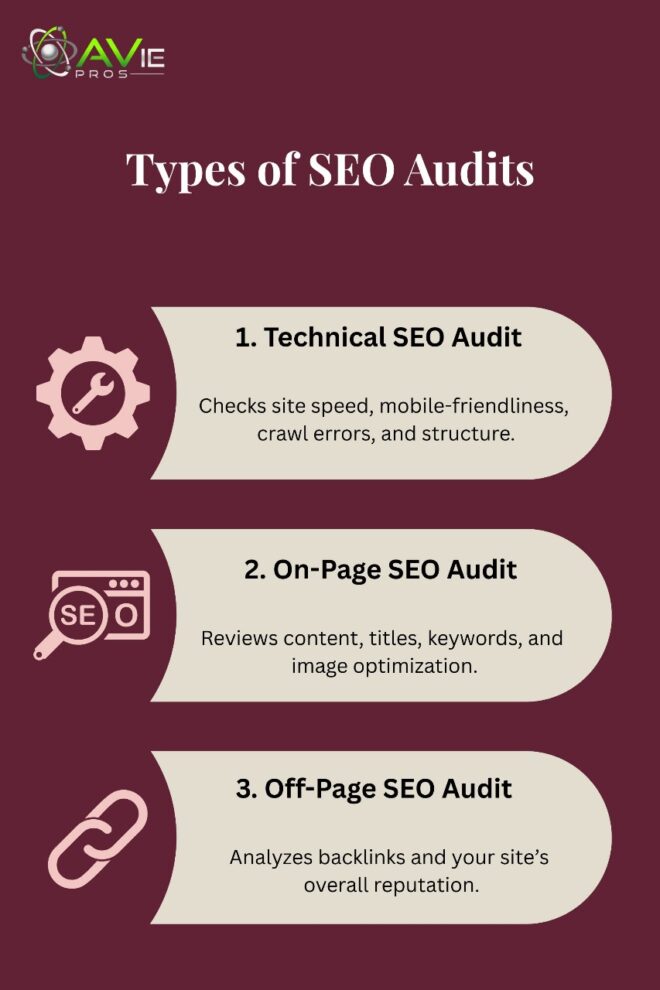
- Technical SEO Audit: How your site runs behind the scenes is what gets checked in this type of audit. Speed, mobile use, site structure, and crawl errors are the things to look for in the website.
- On-Page SEO Audit: This category of SEO audit reviews your content, titles, images, and keywords. It helps search engines understand what each page is about.
- Off-Page SEO Audit: Your site’s reputation and backlinks are analyzed. In this audit, check how your rankings are affected by who’s linking to you.
A full picture is displayed of what to fix first on your site and how it’ll perform after all three SEO audits.
The Complete SEO Audit Checklist
You need to know what’s wrong and what’s broken on your website before fixing anything. A complete SEO audit checklist helps in that regard. To ensure you don’t miss anything, this checklist guides you to analyze all the key areas of your website.
1. Technical SEO Check
First up in the audit checklist is to go through all technical aspects of your website that go behind the scenes. It’s always good to start with the basics. To check how well your site works, perform a technical SEO audit.
Fast loading speed, mobile-friendly design, working links, and secure HTTPS are the important things to look for while doing this type of audit. To spot crawl errors and other hidden problems, using tools like Semrush and Ahrefs SEO audit is also helpful.
2. On-Page SEO Check
After dealing with all the website technicalities, it’s time to focus on things that people see directly on your website. Your page titles, meta descriptions, headers, and keywords get looked at by doing a thorough on-page SEO audit. Ensure that the content on each page of your website is clear, useful, and matches the user’s search terms.
3. Content Audit
On your site, it’s always quality content that keeps visitors engaged. So, always make sure to do a regular audit of your website content. Remove low-quality or old content by going through your blog posts and pages. Provide fresh info to update useful posts. Answers a real question or solves a problem on every page.

4. Off-Page SEO Check
In this part of auditing, it’s all about gaining trust. Knowing who’s linking back to you is what a strong off-page SEO audit looks like. Moreover, to check backlinks, use a tool like Ahrefs SEO audit. From trusted websites, only look for quality links and always remove or disavow spammy ones.
5. Local SEO Audit
Don’t skip this part if you run a local business. To make your business show up in local searches, perform a local SEO audit. Your name, address, and place (NAP) must be the same everywhere. Also, check local listings, reviews, and update your Google Business Profile (GMB).
How to Do a Technical SEO Audit?
As mentioned earlier, a technical SEO audit is fixing things that people can’t see on the website. It’s about letting search engines crawl, read, and rank your site properly. The following are the behind-the-scenes problems and how to solve them:
1. Check Your Site Speed
Your rankings and visitors both get hurt with a slow-loading website. To test your site speed, use tools like Google PageSpeed Insights and GTmetrix. Anything that slows down the site, remove it. Make sure to use smaller images and clean up code.
2. Make Sure Your Site Is Mobile-Friendly
More than 90% of people search on their phones. Therefore, you’ll lose traffic for sure if the site is not optimized for smartphones. To check the working of your site on smaller screens and how it looks, use Google’s Mobile-Friendly Test.
3. Test Crawlability and Indexing
For the site to rank, your pages must be read and found by search engines. To check page indexation, take the help of Google Search Console. Furthermore, to crawl your site and spot issues like broken links or missing pages, Screaming Frog is a good tool.
4. Use HTTPS for Site Security
To build trust both with users and search engines, it’s always crucial to have a secure website. Your site must have an HTTPS version, not just HTTP. In case if it is not available, use a free SSL certificate or talk to your web host to fix it.
5. Use the Right SEO Audit Tools
Your job becomes much easier by using tools like Google Search Console, Screaming Frog, Ahrefs, and other SEO audit tools. You can quickly find errors by using these tools, and before your rankings get hurt, fix them.
On-Page SEO: What to Check
To understand and make your content better in the eyes of search engines, on-page SEO plays a big role. To check and fix problems related to on-site SEO, here are the key things:
1. Title Tags, Meta Descriptions, and Headers
By including the main keyword, your title tags should be clear, short, and punchy.
In SERP, the short text you see beneath certain links is the meta description. It provides a compelling summary of what your page or blog post is about.
To break up your content, use heading tags (H1, H2, H3). Search engines use them to easily understand a page’s structure and to help readers scan the content.
2. Keyword Usage and Content Structure
Keyword stuffing is something that Google hates. So, it’s recommended to place your main keywords naturally in your titles, headings, and on a few occasions in the text.
Keep a simple content structure. Use small paragraphs, short sentences, bullet points, and clear sections to increase readability. Answer real questions in your content.
3. Image Optimization and Internal Linking
Optimize the images by keeping them small and loading fast on your website. To describe the image, use simple and clear file names with proper alt text. And when it makes sense, include a keyword as well.

To connect your website pages, use an internal linking strategy. Users will stay longer on your site once they get more helpful information.
Off-Page SEO Audit Tips
All things outside of your website are off-page SEO. It’s about the reviews you are getting from others. Mentions from other websites, links, and shares are included to boost your rankings and build trust.
1. Check Your Backlink Profile
Sites that link to you show your backlink profile. It always helps your SEO when good links are obtained from trusted websites. But it can hurt as well if you get bad links from spammy sites.
To see who’s linking back to your site, take the help of tools like Ahrefs SEO audit and SEO audit Semrush.
2. Analyze Link Quality
All links are not equal. It’s better to choose a few quality links than many weak ones. Choose websites for links that have strong authority and are niche-relevant. Use Google’s disavow tool to ignore low-quality links.
3. Watch for Social Signals and Brand Mentions
When people talk about your content, they do social shares and brand mentions. They help with traffic and trust, but can’t directly boost SEO. To see who’s sharing your content, check for platforms like Facebook, Twitter, and LinkedIn.

In improving your spot in search results, a strong off-page SEO helps build authority and grow traffic.
Local SEO Audit for Small Businesses
Showing up in nearby local searches is always crucial when you run a local business. By doing a local SEO audit, finding your business in your area becomes easy. The following are the things to look at and fix:
1. NAP Consistency
NAP stands for name, address, and phone number. On your website, directories, and Google, these details must be the same. Search engines find it confusing if you provide different NAPs for each place. To match your info across all platforms, fix any errors.
2. Google Business Profile Optimization
In making your business show up in local results and maps, your GMB profile does the job. Make sure to have up to date and complete profile by adding images, hours, website, and services. Ask for positive reviews from happy customers. By doing that, your local reach is boosted.
3. Local Citations and Reviews
Your business listings on sites like Yelp, Bing, or local directories are called local citations. On each one of them, provide correct information. Focus on online reviews as well. People trust your business if you have good reviews.
4. Use a Local SEO Audit Tool
For finding errors and quickly fixing them, go for tools like BrightLocal, Whitespark, or even Semrush’s local SEO audit tool. Your local rankings, reviews, and listings all get checked.
Creating and Understanding Your SEO Audit Report
Now, it’s time to put everything into a clear report once you have finished your SEO audit. You get to know through this report what’s wrong, what to fix first, and if needed, how to share it with others.

What to Include in Your SEO Audit Report?
All the important areas of your website should be covered in a good SEO audit report. This includes:
- Technical issues (like broken links, speed problems, mobile errors)
- On-page SEO (title tags, meta descriptions, content quality)
- Off-page SEO (backlinks and domain authority)
- Local SEO (Google Business Profile, local listings)
- A summary of key problems and what they mean for your site
How to Prioritize and Implement Changes?
There’s no need to fix all problems right away. Changes that carry the biggest impact, focus on them.
Always start with critical errors like search engines crawling, indexing, and ranking your site. Then move your focus to things such as speed optimization and improving content. Those are high impact fixes. Lastly, minor issues though they are not urgent, handling them fast still help.
Use an SEO Audit Template
After removing all the big and small problems, keep your findings neat and easy to follow in an SEO audit template. To fill in issues, notes, and next steps, a template gives you a clear format.
Sharing your report with a client, team, or manager becomes easy with saved templates. In a simple spreadsheet, you can create your own or from tools like Semrush or Ahrefs, use an existing template.
Conclusion
It might seem like a big and tough job to do an SEO audit, but for your website, it’s just a step-by-step process. Always look for technical stuff first, like mobile design, speed, and other errors. Check your content, keywords, and links in the next phase, followed by backlink analysis. And in the end, if you are running a local business, never forget to do local SEO.
Now, it’s time for you to get started by using tools like Semrush or Ahrefs, or having a simple SEO audit checklist. Grow your traffic with confidence by fixing what’s holding your site back. Happy auditing!