Today, we will talk about Wix vs Squarespace vs WordPress. These platforms are commonly used to make websites for your professional work and business. We will compare three of these website builders to check which one is the best and why.
In 2025, we will follow the detailed research and testing between Wix, Squarespace, and WordPress. We will conclude the difference between these website builders and compare the best membership, features, and tools to find out the perfect one. Let’s just get into:
Wix vs Squarespace vs WordPress Comparison
All website builders have unique features with extraordinary services to promote your business. These websites offer the best discount codes that can make the availability more convenient. You can save 10% with the code “TAKE10” for Wix and “WBE10” for Squarespace. When it comes to WordPress.org, you can say that this website builder is best for heavy websites that upload complex content. Let’s have a detailed comparison:
1. Wix
Wix is the best platform for your online business promotion. It’s useful for editing marketing and e-commerce. This website functions great to grow your business over time with its great credibility and tools. You can easily boost your business experience to the next level with this website. The overall performance is mind-blowing, and we totally recommend you try if you are looking for the cheapest option.

Best for Promoting Your Business
Wix has one of the best website builders over the last 10 years, and continues to prove that it has outstanding features and Management. No doubt, it scales up perfectly in testing and proves to be a top-notch website builder. It has amazing features and functionalities that can manage your website fully, including personalized SEO tools and built-in email marketing that brings your E-Commerce business to life.
Wix is known as an outstanding choice for promoting your online business with product stores. It has incredible features that allow you to customize the settings in your way. It caters to all the industries and professions equally. You can choose this website for your new business and even for an experimental process. The speed and load do not affect the progress system. You are capable of looking at and trying its free plan that’s available for all. It has subscription plans starting from $17 to $159 per month.
Wix AI Tool Suite
It comes with generative AI tools to assist you in your working procedure. You can make your progress to the super level by using faster tools for creativity. It includes:
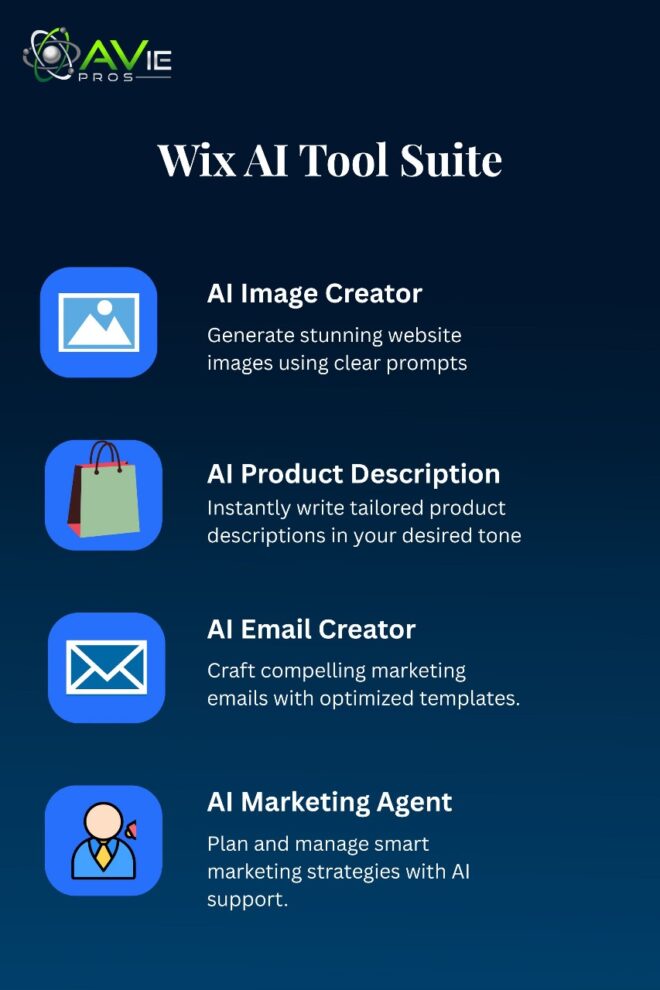
AI Image Creator: It offers a useful tool for your professional images related to your website. The only thing you need is a powerful command or prompt to generate amazing images. The clearer the command you give, the more satisfactory the result you will receive.
AI Product Description: It also allows users to write product descriptions for your online store. It can provide you with the best results, including a specific tone.
AI Email Creator: Email marketing is the pillar of your business. To improve your email marketing skills, you can ask AI to compile the best results and words for email marketing templates. This way, you can run the best campaign.
AI Marketing Agent: In the 2025 era, everyone needs to plan marketing agents to promote their websites. You can ask for help from AI for this, too.
Wix Key Features
Everyone is looking for the best functionalities that can help them in website projects. At the time of writing, it has launched 2000 + templates to provide for the users and visitors. Including website analytics and tests, we can say that for small business owners, it offers incredible features. I am impressed by how it provides customization and beautiful templates.
It provides the opportunity to style your website outlook according to your desired one. You can add SEO for Incredible results. Using different tools can improve the visibility and traffic on your website. The best part is that you can learn all about yourself and your performance on Google to improve your website further.
In the comparison of WordPress, we can say that it can completely fulfill your needs, which you are looking for in a better website building. You can manage your appointments, online orders, and features. The built-in features and additional functionalities can be winning at this point.
What if I Need an Online Store?
Wix is the better option if you are seeking for online setup. Of the three platforms, it has seamless and impressive features. Likewise, you must have heard about Shopify, it also provides similar results for your e-commerce store.
Let me provide an example to provide you understanding of how it works. All Wix stores have different plans of subscription plans starting from $29 per month and above that. You can get discounts of 10% to 15% by adding coupon codes. If you don’t have enough money to get the better plan, then you can start with a short plan and upgrade it later.
My Experience with Wix
I created a personalized website with the assistance of the AI chatbots while testing Wix. It asked a few simple questions about my objectives and target audience. It uses my answers to create a customized site strategy. For example, when I mentioned that I wanted to open an online business to sell home plants. Wix’s AI chatbots suggested a real and clear tagline that recommended my choice is “straightforward and nature-loving.”
From chat to website construction, the entire onboarding process takes approximately a minute. You can easily modify the AI Chatbot with Wix’s drag-and-drop editor option. Wix’s AI chatbots are an excellent building tool for startups that are busy collecting words for their business. It is helpful even for those who lack technical confidence when they need to work.
Wix Cost or Plans
Here are the details of the plan:
- $17 to $159 a month, with yearly billing
- No-cost plan
- Use the coupon “TAKE10” to receive a 10% discount at checkout.
If you want to create an online store, you’ll need to go up from the cheapest plan and select Wix’s $29 monthly Core plan or higher. Wix’s free plan has restricted capabilities, such as 500MB of storage space and advertisements on the pages of your website, but you can use it for as long as you like. You must upgrade to one of the four premium plans in order to get rid of these advertisements.
For the first two weeks, I advise using the free plan. Before committing to a premium subscription or attempting another builder, such as Squarespace, you may use the free version to understand whether Wix is a suitable fit for your company.
Wix Pros and Cons
Pros:
- It has the best website features that everyone is looking for. All are essential for a successful business store running.
- The layout is very simple, even a common person can understand the drag-and-drop editor system easily.
- It has 2000 + templates that are fully designed with unique colors.
- It offers discounts and days to get the best one for you.
Cons:
- You cannot switch the templates once you have decided and you live your website.
- The choices and options are so overwhelming to understand.
- The upgrade system is so expensive when you try to scale your previous one.
- After using Wix, you will get to know that looking at the specific features is difficult.
2. Squarespace
Squarespace easy website that is used for service-based content and portfolio. Most people work in a square space to showcase their skills, work, and professionalism. Likewise, a platform where you can showcase your portfolio to get a reputable job. You can take online appointments and services from other businesses. For this purpose, you can go ahead with this website to maintain your smooth career.
Key Points of Squarespace
Squarespace is a fantastic choice for novices because it is the simplest website builder in 2025. Squarespace’s AI builder and Blueprint AI will assist you in launching a website in just a couple of minutes. You only need to understand the layout and dashboard to handle. The biggest flex is its monthly prices range from $16 to $99 (paid annually).
Any Squarespace subscription allows you to sell an infinite number of products. There’s no limit to listing, you can easily launch all types of products on your website like a store. Squarespace’s Acuity Scheduling service facilitates online booking and management for businesses.
Squarespace’s Features
Squarespace provides a lot of features that can make your editing incredible. You can use various features on a large scale, like Wix and Shopify. The best part is you don’t need to be trained before hands on this website.
1. Scheduling Your Day
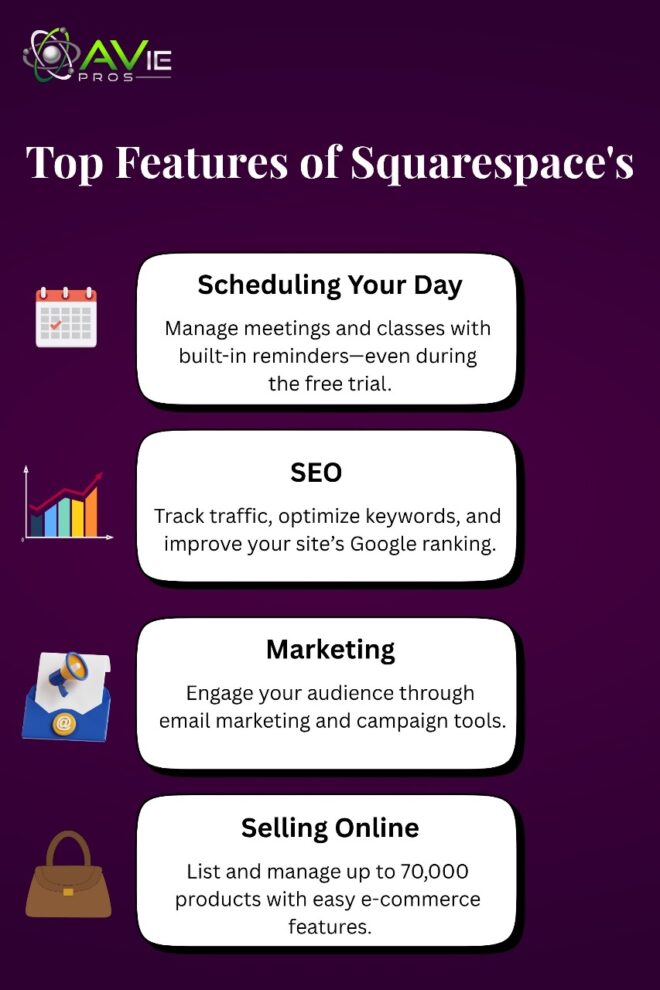
The first amazing feature is the scheduling tool that assists everyone in managing their appointments and meetings. Whether you are busy with other tasks or attending your classes, this tool will remind you about your upcoming appointments, meetings, and professional working classes. One more thing, this feature is accessible with your 14-day free trial, so you can understand how time management affects quality during your practice days.
2. SEO
Another thing is SEO, everyone who is a content writer or website builder, aware of this word. It’s called Search Engine Optimization, which helps your business and websites to rank on Google. This website allows users to handle its SEO panel. You can check the traffic, appearance, and keyword research effortlessly.
3. Marketing
The engagement with your target audience is crucial to understand. If you are unaware of your audience, then you can’t rank your website or project. Understanding the psychology of people through campaigns and marketing can promote your business very well. This website offers you to work on marketing and campaigns through email campaigns or boosting. You can explore more features with Squarespace.
4. Selling Online
This website can give you the opportunity to run your E-commerce website on it. You can manage your orders and list up to 70,000 products. The listing process is unbeatable, and you can sell whatever you want. You don’t need to work on specific fields and products you can go on with every niche. The listing process and the selling method through campaigns are quite easy. If you have learned already, you will face no issues during launching your website for sure.
Squarespace Cost
Squarespace is affordable when it comes to prices. It has basic to premium plans for different price ranges. You can start from $16 to $99 per month. You need to pay the bills annually, and you can also use your 10% off code. In advance plan you will have a lot of flexibility to build your E-Commerce store. Let’s have a look at the chart:
My Experience with Squarespace
To experience what it’s like to create a website with Squarespace, I try to work on practical testing. Let’s conclude the results together:
Using Blueprint AI
I’m a practice-loving person, so I decided to use Squarespace’s AI website builder. I tried its professionally created templates (which were suggested based on my onboarding replies) after registering for the 14-day free trial. I decided to use Blueprint AI, an AI-powered assisted web design experience.
After seeking Blueprint AI, I can say that it’s a very useful feature for your journey. I was able to easily move customizable options throughout the page on Squarespace, like Wix, which has a drag-and-drop editor.
Editing and Designing
A grid framework is another tool that Squarespace utilizes to give its editor structure. This is helpful if you want to quickly move parts together to maintain page alignment, particularly if you’re just starting with website development. It also helps in styling the design process. My overall experience was good.
You would be better off using Wix or Hostinger, which allow you to drag components anywhere on the website, if you want full creative control over the website. Since you are limited to changing objects, Squarespace’s grid editor may feel easier if you are comfortable with designing websites.
Pros and Cons of Squarespace
Pros:
- It has a very simple and easy editor for drag and drop.
- The AI blueprint builder is the plus point.
- The best part is, it has 180+ templates for designing.
- Its Acuity Booking Scheduling tool is great for working on this website builder.
- It’s the cheapest package for an e-commerce business program.
Cons:
- Its customization is limited, so you can’t add a lot of things to the style.
- The worst thing is, there’s no AutoSave function, so you can lose your work if the light goes off suddenly.
- There’s no free plan for practicing the tools and features.
- It’s linked to third-party modifications that could be risky.
3. WordPress
WordPress is the most demanding website that people use to build their heavy sites. You can go for an E-Commerce business with WordPress’s effective tools and settings. You can enjoy hosting at flexible prices and control over your website. The best part is that you can manage everything well.
Let me tell you my story with WordPress. I believe that this is the game-changing website that can give you so much confidence in your work. You can change the outlook, add customization, deal with the plug-in library, and much more. The fun part is, you can add vibrant and beautiful colors to style your theme according to your choice.
Overview of WordPress
Most people who want to create a website will be familiar with WordPress. Indeed, it’s likely that you already know what WordPress is. In a nutshell, WordPress is a tool for creating websites that allows users to freely develop highly customizable websites. As of the last count, over 80 million websites were using WordPress, a very popular website construction platform.
WordPress began as a very ordinary blogging platform (WordPress.com) but soon evolved into a powerful website builder (WordPress.org) that enables you to develop any kind of website, including e-commerce, membership, forums, business, and more. Think of WordPress like Excel. Excel creates stunning graphs and charts when you add data to a spreadsheet.
WordPress Cost
Even though WordPress is free to use, the price of your website is mostly determined by the hosting, theme, plugins, third-party software, online courses, and developers you choose! Therefore, it’s challenging to determine the precise cost of a WordPress website. It’s worthwhile to compare prices since if you’re not attentive, your expenses can increase quickly.
We’ve broken down some of the most typical expenses related to installing and maintaining a WordPress website below to help you get a sense of some possible prices. Let’s have a look:
WordPress Features
WordPress’s key features are amazing, and you can use multiple tools for your blog post. So many options and varieties will definitely enhance your visual portfolio and eye-catching theme. You can customize anything you want. In its features, the best part is WordPress plugins. Let’s adore together its creative tools:
WordPress is one of the best platforms that can transform your website page with creative skills. It offers a wide library having 60000 + plugins to add new functionalities. Ex totally up to you to change the plugin and adapt a new one.
For SEO purposes, you can go for the Yoast test and Rank Math. You can correct your mistakes and can score it up easily. I will recommend that you explore the individual and all its features, including the library.
The style book depends upon customization tools. The customization includes fonts, colors, theme, and such other things. You can work on anything to change your website into a new look. The best part about WordPress is that you can easily protect your work and projects with a secure password. The designs and themes will not disturb the speed or progress.
My Experience With WordPress
In comparison to Squarespace and Wix, WordPress requires download and installation before you can use it. However, you must arrange for a hosting provider for your website before it can go online. I chose Hostinger since it already has a strong relationship with WordPress, offers automatic WordPress upgrades, and has monthly plans starting at $2.95. But you can choose any hosting website.
WordPress requires more customizations than standard website builders. It will be helpful to have some coding skills or previous website-building experience. You can’t explore a library of pre-designed items to just add to the pages of your website, and there isn’t an integrated drag-and-drop editor. Alternatively, you can use the backend settings to modify code or manage content.
One of the best parts about a WordPress website is that you can adopt any plugins to change the layout and other basic elements of your page. The great plugins can give a boost to your creativity and then style anything perfectly. I use WordPress on my websites and I just love the experience.
WordPress Pros and Cons
Pros:
- It has 60000 + plugins to customize your E-commerce or blog website.
- You can build from zero to the end with complete control.
- There are so many powerful login tools that will help you for a successful site.
- It has a very manageable dashboard for everyone’s ease.
- It’s very affordable and also offers a free plan.
Cons:
- It could be difficult for beginners to understand the settings.
- You need to purchase the hosting from another side first.
- No support can guide you about procedures.
WordPress Review
Not everyone is a fan of WordPress. However, WordPress may be a very powerful platform if you can fully utilize all of its features. It is the most versatile website builder available and can be used to build nearly any kind of website, including blogs, business promotion websites, and online stores.

For anyone who requires a sophisticated website or has a website with a lot of material, WordPress is fantastic. But only if you’re willing to invest the time and resources necessary to get it operating the way you want it to. Otherwise, you can see other options like Wix and Squarespace.
One disadvantage of WordPress is that it requires an initial financial and temporal commitment that competing drag-and-drop website builders, such as Wix, do not. Therefore, it is recommended to locate a drag-and-drop website builder that meets the majority of your needs. If you are unsure about these investments, don’t go for the expensive plugins until you have learned how to work on them.
How We Test Website Builders
We’ve thoroughly tested top website builders, utilizing our research process to provide you with the most recent recommendations for Wix, Squarespace, and WordPress. Through more than 300 hours of data collection, we have identified the best builder for your company. Six main categories comprise our testing:
- 30% of websites are working.
- Design elements: 25%
- Cost: 15%
- 15% for user experience
- 10% for assistance and support
- Reputation: 5%
We can provide our readers with exclusive insights and ratings derived from these categories. In order to give this post more knowledgeable, first-hand information and aid in your decision-making, I have also personally tested out the builders.
Wix vs Squarespace vs WordPress: Which One Is Best?
After thoroughly analyzing Wix, Squarespace, and WordPress, which do I think is the best overall? The greatest website builder we’ve evaluated is Wix, which provides stunning layouts and excellent capabilities for a variety of businesses. You should be able to choose the best platform for you after reading the thorough sections above, but here’s my perspective:
Wix: With its amazing array of cool features covering design, marketing, and e-commerce, Wix is the greatest platform for online business promotion.
Squarespace: Beautiful themes and elements, along with its fantastic capabilities for scheduling services and managing client connections, make it more appropriate for creatives or service-based enterprises.
WordPress: Because of its publishing process, WordPress is a fantastic choice for websites with a lot of material. I’ll ask beginners that they need to work on a trial first before delving into its settings and plugins. That’s all!
Wrapping Up
All the website Builders are doing great jobs at their places. But the comparison to understand between selecting the best one was the best experience. I learn a lot of things while exploring these websites, Wix or Squarespace, or WordPress. And, I concluded that each website is fantastic, but Wix is the winner. You can also go for WordPress if you love to post blogs and infographics. Have a great understanding for your best experience.
Note: You’re capable of deciding what’s good for you. Read the instructions carefully before making any decision.
FAQs
Is Wix better than Squarespace?
Yes, it’s better than other website builders with its specific conditions and terms.
Can we use WordPress without plugins?
No, you can’t run your blog post or E-commerce website without using plugins. It depends on the plugins that can customize and maintain your website.
Does WordPress work like a drop-and-drag process?
No, it’s not like this type of editing. But no doubt you can easily change the theme by editing.