Chromebook vs Laptop – Which One is Right for You?
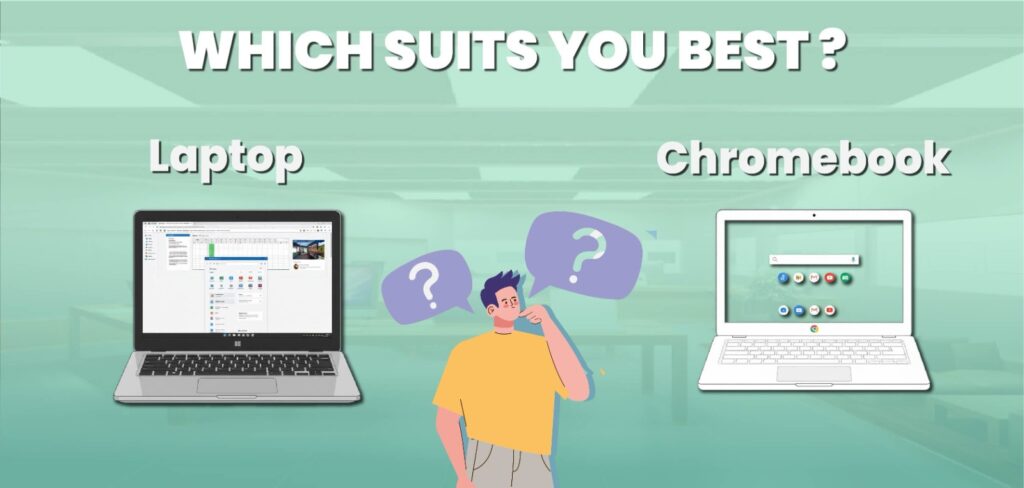
Are you confused about selecting a Chromebook vs Laptop? Then this guide is for you. While the outer appearances of the two devices are similar, their interiors and methods of operation are completely different. The majority of users buy laptops for personal, business, entertainment, or educational purposes, but most are unaware that Chromebooks and Laptops serve quite different functions. We’ll guide you through the process of learning what a Chromebook vs Laptop is, how it’s different from a Laptop, and which is better for you in this tutorial. We’ll also discuss their price, software, storage, speed, and useful applications. You’ll be able to tell by the end which option is best for your day-to-day activities. Let’s explore it: What is a Chromebook? If a laptop runs the Chrome OS operating system, it’s called a Chromebook. This Chromebook system is totally created by Google, and Chrome OS is designed with online functions that are based on the web browser. Everything we browse on a Chromebook is connected to the Google services. It includes YouTube, Gmail, Drive, Documents, and such other applications. All the applications are easily accessible through the Google Play Store, and users can download them anytime. But Google Play Store is the in-built app in Androids, for iOS, they offer App Store. Chromebook is the perfect solution for students, teachers, office-going people, and anyone who uses internet apps or a web browser. What is a Laptop? A laptop is a portable personal computer that can be used anywhere. With everything built into one device, it functions just like a desktop computer but in a lighter and smaller size. The screen, keyboard, touchpad, speakers, battery, and camera are all built into a laptop. Because it has its own battery, you can use it for several hours without a connection. Laptops come in a wide range of models, from affordable models for daily use to powerful gaming laptops for business users. Laptops can be used offline as well as online. You can use third-party software, keep files on the hard drive, and even customize your system to meet your needs. They are powerful, flexible, and suitable for customers who need more than just document editing and browsing. Battle of Chromebook vs Laptop In the guide below, we will highlight the difference between Chromebooks vs Windows laptop functions, including storage, software systems, speed, performance, battery life, and more. Let’s roll into a Chromebook comparison with a laptop: 1. Difference in Operating Systems The operating system is the primary difference between Chromebooks and Laptops. Chrome OS is a quick, light, and cloud-based operating system. The operating system is designed for those who rely on the internet. On the other hand, Windows is a feature-rich operating system that supports demanding apps, games, and offline software. Chrome OS is smooth and easy to use if you only use the internet for daily tasks. However, Windows is a far better choice if you use professional software or apps like Microsoft Office and Photoshop. In short, Windows is a complete computing platform for all kinds of operations, while Chrome OS is an operating system for smartphones used as laptops. 2. Speed and Performance Chromebooks typically boot up more quickly than Windows computers. This is due to Chrome OS’s low processing load and light weight. You may open your Chromebook and start working in a few seconds. However, Laptops may take a long time to boot up, especially if they have outdated hardware or too many programs installed at startup. However, Laptops are more powerful in terms of performance because they can run massive software programs, advanced video games, and difficult jobs. A Chromebook seems faster and simpler if all you need it for is browsing, learning, or streaming. However, a Laptop performs far better when multitasking or running large apps. 3. Storage and Cloud Saving Because Chromebooks are designed to use cloud storage via Google Drive, they have a limited amount of internal storage. This suggests that the majority of your documents are stored online. The benefit is that, with a Google account login, you can quickly access your data from any device. Large internal storage capabilities, like SSD or HDD, are found in Laptops. Photos, videos, games, and software can all be stored right on the laptop. This is appropriate for people who work with huge files and need more space. Therefore, a Chromebook is suitable if you don’t need a lot of local storage and are always online. Laptops are the best option, however, if you require more offline use and file access. 4. Software and Applications Web apps and Android apps from the Google Play Store are used on Chromebooks. You can use Google Sheets instead of Excel and Google Docs instead of Microsoft Word. However, Chromebooks do not fully support the majority of professional desktop programs, such as Adobe Photoshop, AutoCAD, or the full Microsoft Office suite. However, almost any software can be installed on Laptops. Windows has everything, including games, video editors, office utilities, and programming tools. For this reason, Windows systems are used by professionals, developers, and gamers. To put it briefly, Laptops are suitable for full desktop applications, whereas Chromebooks are best suited for simpler apps. 5. Internet Dependence The other important difference is the importance of the internet. Since Chromebooks do the majority of their work online, they work best when linked to Wi-Fi. You can still use some apps offline without an internet connection, but you won’t be able to make full use of them. This problem does not affect Laptops. In fact, you can do almost anything offline, including writing documents, playing games, editing images, and watching videos that are saved on your device. For users who travel or live in places with limited internet, Laptops become more adaptable. 6. Security and Protection Chromebooks have an important advantage in terms of security. Chrome OS has virus prevention and updates itself automatically. Since everything is saved online and under Google’s control,