Comprehensive Guide to Remote Video Surveillance for Office Buildings
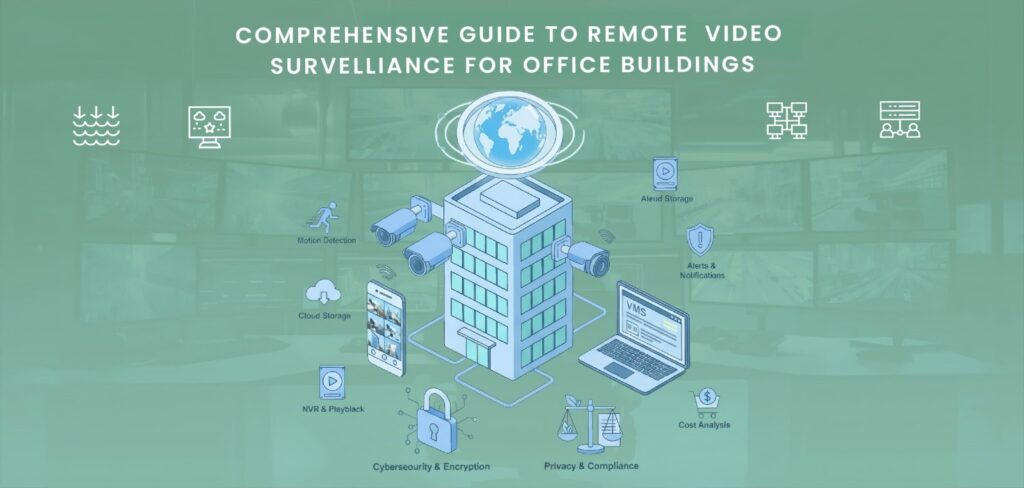
One of the biggest problems for modern office buildings is security. Keeping the property safe is important because it houses many employees, expensive items, and sensitive data. The most effective way to improve office security is through remote camera monitoring. Through PCs, tablets, or cellphones, it allows managers and owners of businesses to view their properties in real time from any location. In addition to preventing theft and vandalism, this technology makes the workspace safer and easier to maintain. A safety precaution called remote video surveillance for office buildings uses cameras connected to the internet to monitor and record activity in and around corporate buildings. Remote surveillance systems upload and store data in the cloud, as opposed to traditional CCTV systems that store records on local recorders. This makes it possible for authorized users to watch recorded or live video from anywhere at any time. Additionally, it immediately notifies users when suspicious activity is detected, enabling a speedier reaction to security breaches. Let’s explore Remote Video Surveillance for Office Buildings: How Remote Surveillance Works A video management system, security cameras, and a secure internet connection are the main parts of the system. In important areas, including parking lots, server rooms, hallways, and entrances, cameras are installed. The recorded video is sent over the network to a remote monitoring location or cloud storage. The designated user can watch real-time photographs, zoom in on specifics, and replay situations. Even remotely manage camera views via a mobile app or website. Certain systems use artificial intelligence and motion detection to spot questionable activity and automatically send alerts to your email or phone. This helps identify dangers before they become serious problems. Benefits of Remote Video Surveillance for Office Buildings Installing a remote video surveillance system in an office building has several benefits for management and safety. The main advantages listed below show why this technology is so important for modern office security: 1. Continuous Monitoring The fact that remote surveillance is available 24/7 is among its best features. You don’t have to think about what will happen after the workplace closes. The cameras simply keep watching, recording every sound and movement. For buildings that are empty on the weekends or at night, this is really helpful. Continuous monitoring stops criminals and identifies questionable activities early. You will already have a video to view and give to the police or security guards in the event of an incident. 2. Real-Time Access from Anywhere You can keep an eye on what’s happening in your office without personally being there, thanks to remote monitoring. All you have to do is open an app or website on your tablet, laptop, or phone to view real-time video. This is useful for managers or owners of businesses that have several sites or travel frequently. You may access your office security at any time, even if you’re overseas. In the event of an emergency, having such real-time access allows for quicker responses and provides comfort. 3. Prevents Theft and Misconduct People are scared of committing crimes when they see cameras. Employees and visitors do not steal or damage property when they are aware that cameras are watching. This method helps to track employee actions in addition to preventing theft. For example, you can listen to the recording and figure out exactly what happened if something is lost. Everyone knows that their actions are being watched, which also helps to improve discipline and behavior at work. 4. Cloud Storage and Easy Retrieval To ensure you don’t lose any data or run out of storage, remote camera systems store the footage in the cloud. Even if your local recorder is damaged or stolen, the cloud storage is secure. You can easily search for videos from a specific date and time. Let’s say something happened last week. The video can be recovered in a matter of seconds and downloaded for review. Compared to previous systems that required difficult searching through records, it is far simpler. 5. Cost-Effective Security Long-term cost savings are possible with a remote video system. One person can watch many cameras from a control room or even from home, saving money by removing the need to hire multiple security guards to keep an eye on every location. This lowers labor expenses and improves the effectiveness of monitoring. Additionally, modern CCTV cameras need almost no maintenance. They are a wise financial investment for companies since, once installed, they can function for years without experiencing major issues. 6. Integration with Other Security Systems Modern CCTV technology makes it simple to combine with other systems, including access control, motion detectors, and alarms. This provides an entire security system that interacts together to secure the building. For example, the system will instantly text you. Sound an alarm if it detects someone opening a restricted door. The cameras will record everything that happens when they zoom in on that location. This level of automation increases security’s speed, intelligence, and reliability. Key Features of a Good Remote Video Surveillance System Make sure the remote video surveillance system you choose for your office complex has the features necessary to provide complete security, easy access, and long-term dependability. The most important features that are beneficial to a system’s effectiveness and security are as follows: 1. High-Definition Video Quality Images from high-definition cameras are clear and detailed, allowing you to recognize faces, objects, and motions easily. When it comes to identifying criminals, suspicious activity, or even the smallest details of an incident, this kind of functionality is quite beneficial. If something happens in your office, clear video quality also guarantees that the recording is reliable as proof. 2. Motion Detection Alerts When there shouldn’t be any movement, the system can identify it with the use of motion detection technologies. Your PC or phone will automatically receive an alert or message to let you know. You may immediately inspect the live feed and react if there is any unusual or suspicious activity in the