MacBook Air M2 vs M3 – Which One is for You?
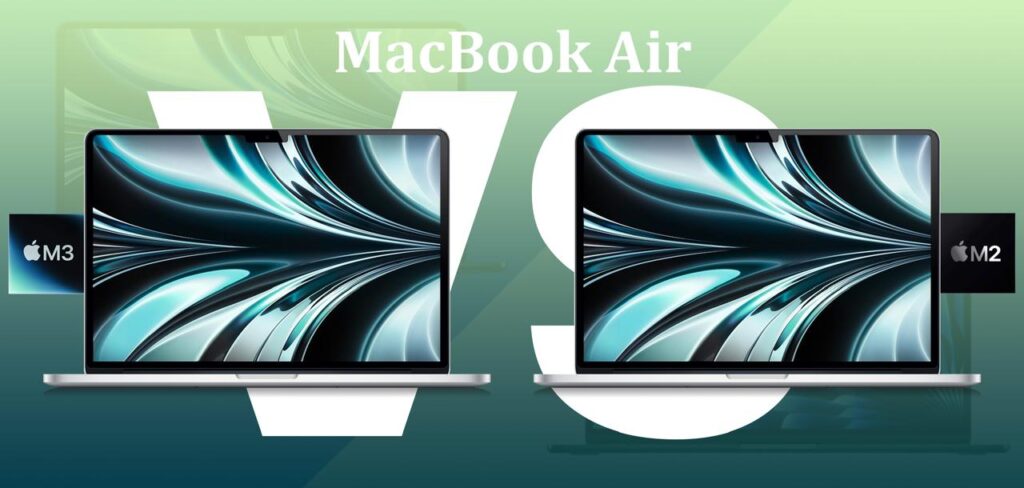
Everyone is interested when Apple announces a new MacBook. They want to know if the older model meets their needs or if the new one is really better. Probably one of the most well-liked laptops in the world is the MacBook Air. It is powerful, slim, and light. Many people use it for office work, travel, school, and even light editing. When Apple released the MacBook Air with the M2 chip, it became incredibly popular. Later, Apple released the MacBook Air with the M3 chip. People seeking for, which MacBook suits their professions? The difference between M2 and M3 MacBook Air is explained in detail in this article. We will carefully look at battery life, performance, design, display, price, and daily usage experience. By the end, you will clearly understand which MacBook works best for your needs and budget. Let’s get into: Battle of MacBook Air M2 vs M3 In this battle, we’ll compare both MacBooks and see which one works better. When it comes to features and customizations, what are the benefits we get from both? Let’s differentiate between M2 vs M3 and also explore the MacBook Air M2 vs M3 specs clearly: 1. Design and Build The MacBook Air M2 and M3 have almost the same design when we first compare them. Both are extremely thin and light. The Air series is always made as thin as possible by Apple. The M2 and M3 air have the same approximate thickness of 0.44 inches. The weight of the 13-inch one is about 2.7 pounds. The 15-inch one weighs over 3.3 pounds, which is a little heavier. The M2 and M3 versions come in these two sizes. Even the colors are similar. Silver, Space Gray, Starlight, and Midnight are available from Apple. Although the Midnight color is unique, it is less resistant to fingerprints than the others. The aluminum body of the M2 and M3 Air versions is identical. It is slim, powerful, and high-end. Unlike the old wedge shape that Apple used many years ago, this one is sleek and flat. Therefore, they are essentially the same if appearance is your primary concern. Neither their appearance nor even their weight in your hands will change significantly. The machine’s internal components make the difference. 2. Display Quality The screen of the MacBook Air M2 and M3 is Liquid Retina. The 13-inch model has a 13.6-inch screen, while the larger variant has a 15.3-inch screen. Because of the high resolution, words and images seem sharp and clear. Up to 500 nits of brightness is suitable for both indoor and outdoor applications. True Tone technology and P3 broad color make the colors true and rich. Both versions have a smooth experience when watching movies or editing photos. On Air versions, the screen refresh rate is 60 Hz. Air lacks the 120Hz ProMotion found in Pro versions. That suggests that animations aren’t nearly as fast as Pro models, but in daily use, you won’t notice a big difference. The display quality of the M2 and M3 Air is more comparable. Here, Apple hasn’t made any notable advancements. Both are superb, clear, and bright. 3. Performance The real difference begins at this point. The previous M1 chip was already slower than the M2 processor. It had an 8-core CPU and a GPU with up to 10 cores. Office tasks, browsing, streaming, and even video editing may all be handled by it. The next-generation chip, the M3, was created with 3-nanometer technology. In other words, it is both faster and more power-efficient. Additionally, the M3 contains an 8-core CPU. However, the GPU has been updated with increased performance and efficiency. According to Apple, the M3’s CPU performance is almost 20% quicker than the M2’s. The boost is significantly greater for the GPU. Additionally, the M3 features hardware-accelerated ray tracing, which enhances graphics in design software and video games. This would result in the M3 opening apps quickly, exporting files, and handling multitasking more smoothly in daily use. For example, if you were editing a 4K movie, the M3 would render it faster than the M2. When playing games like Resident Evil Village, the M3 would produce smoother frame rates and better graphics. The M2 isn’t slow, though. The M2 is suitable for the majority of office workers, light users, and students. Just browsing, watching movies, or writing documents will not really make a difference. In intensive tasks like coding, 3D modeling, or gaming, the M3’s capabilities are more noticeable. The Apple M2 vs M3 performance discussion becomes clear here because the M3 has advantages in speed and graphics. 4. Battery Life Apple is well known for its long-lasting batteries. The M2 Air’s timing was already excellent, and it could play videos for up to 18 hours. Similar but marginally more efficient is the M3 Air. In actual use, the M3 Air occasionally performs a bit better than Apple’s claimed 18-hour battery life. The new 3-nanometer chip design, which consumes less power for the same task, is the reason for this. For example, you can go through the majority of the day by using apps, browsing, and watching movies on the internet. The M3’s battery life is slightly longer than the M2’s when you’re editing or gaming. Not by much, though. Both are excellent choices for anyone operating outside of power sources, including students and travelers. This is where we can closely analyze MacBook Air M2 vs M3 battery life because both provide strong all-day performance. 5. Storage and Memory The standard MacBook Air M2 has 256GB of storage and 8GB of RAM. The same is true with the M3 Air. However, Apple improved the SSD’s speed in the M3 base model. Compared to larger storage options, the base M2 256GB has poorer read and write performance. This issue has been fixed with the M3, making even the base model faster. It is possible to update the M2 and M3 Air to 16GB or 24GB of RAM. Additionally, storage